

Merchant Accounts With the Most POS Integrations (Including Coastal Pay)
Wondering which merchant accounts integrate with the most POS systems? Compare top providers and see how Coastal Pay connects with 2,000+ POS platforms.
Share
If you are comparing merchant accounts, one of the most important questions to ask is how well they work with the POS systems you already use – or may want to add later. In this guide, we will look at which types of providers integrate with the most POS platforms, where big names like Fiserv and Worldpay fit in, and how Coastal Pay achieves coverage across 2,000+ POS systems so you can stay flexible as you grow.
Let’s Define What “Integrates With the Most POS Systems” Really Means
Before comparing providers, it helps to understand what the payment stack actually looks like – because “merchant account,” “POS system,” “gateway,” and “processor” are often used interchangeably when they actually mean very different things.
A merchant account is the business banking relationship that lets you accept card payments. It can come from a direct processor (like Fiserv or Global Payments), an ISO/MSP (like Coastal Pay), or an aggregator (like Square or PayPal). Each model has different implications for who you can work with and how locked-in you are.
A POS system is the software and hardware combination used to complete a sale – think Clover, Lightspeed, Toast, or a retail terminal running proprietary software. The POS handles the customer-facing transaction, but it needs to communicate with a gateway to actually move the money.
A payment gateway like Coastal Pay Gateway or Authorize.Net sits in between the POS and the processor, securely transmitting transaction data. Many POS systems integrate with several gateways, and those gateways in turn support multiple processors behind the scenes. This layering is why a single gateway with broad POS compatibility can effectively give a merchant account access to a very wide range of hardware and software.
When a provider claims to integrate with 2,000+ POS systems, that number typically reflects their gateway connections, certified partner list, and ISO network combined. There is no official global leaderboard for POS integrations – but the claim is still useful for comparison, because it signals the breadth of options available to you as a merchant. Coastal Pay is one of the few providers that publishes this number explicitly, with its Software Integrations page listing POS systems across all major industry types.
Here’s Why POS Compatibility Should Drive Your Choice of Merchant Account
Choosing a merchant account that works with only a handful of POS systems can create serious friction as your business grows. The most common scenario plays out like this: a business switches to a new processor for better rates, only to discover that their existing POS system is not compatible. Now they face a choice between staying with a processor they no longer want or replacing POS hardware they invested thousands of dollars in.
This becomes more complicated when you are opening additional locations. Each new site may come with its own POS requirements based on industry norms, franchise mandates, or existing infrastructure. If your merchant account cannot follow you across those systems, you end up managing multiple processors, multiple reconciliation workflows, and fragmented reporting.
POS flexibility also matters as payment methods evolve. A merchant account that integrates broadly tends to support alternative payments – Apple Pay, Google Pay, ACH, Buy Now Pay Later options – because those methods are often activated at the gateway level and passed through to the POS. A narrower provider may lag on adding these options.
Industry matters too. Restaurants, retail chains, healthcare providers, B2B distributors, and hospitality operators all tend to use niche POS systems built specifically for their workflows. A merchant account that integrates with 2,000+ POS systems across all of those verticals is a materially different product than one certified with a handful of mainstream terminals. Coastal Pay’s coverage spans retail, e-commerce, restaurant, hotel, travel, pharmacies, and B2B – making it a rare fit for businesses with complex or evolving POS needs.
Which Merchant Accounts Integrate With the Most POS Systems?
There is no single published ranking, but there are three meaningful categories worth understanding when it comes to POS integrations and merchant accounts.
1. Traditional mega-processors. Fiserv/First Data, Worldpay, Global Payments, Elavon, TSYS, Heartland, and Chase Paymentech are among the largest acquiring networks in the U.S. They appear on certified lists for most major retail and restaurant POS systems simply because of their market size and longevity. However, they tend to operate through reseller channels and rarely publish a specific integration count. The breadth is real but not self-advertised in a way that helps merchants compare options easily.
2. Broad-coverage ISOs and merchant service providers. This is the category where Coastal Pay stands out. As a registered ISO/MSP with Wells Fargo and Axiom Bank, Coastal Pay publicly claims compatibility with 2,000+ software vendors and POS systems across all industry types. This is one of the few explicit, published figures available in the market. Other ISOs make similar general claims (“works with almost any POS”), but few provide the same level of supporting detail or developer resources.
3. Gateway-focused setups. Processors and ISOs that build or connect to widely supported gateways – such as NMI, Authorize.Net, or Coastal Pay Gateway – can reach a large number of POS systems through those gateway relationships rather than direct certifications. This is an important path for merchants whose preferred POS supports a gateway that Coastal Pay already connects with.
A brief note on accuracy: the integration numbers cited by any provider are based on their public claims and available documentation, not a verified third-party registry. That said, Coastal Pay’s figure is among the most explicitly stated and consistently referenced in the industry.
Here’s How Coastal Pay Achieves Coverage With 2,000+ POS Integrations
Coastal Pay’s broad POS compatibility comes from a combination of factors that most single-brand processors cannot replicate: 13 acquiring bank relationships, a proprietary gateway, an open API, and an in-house team focused specifically on expanding integration coverage across industries.
To understand how this works in practice, consider three common merchant scenarios:
A retail store running a mid-market POS system across three locations wants to switch processors for better rates. Because Coastal Pay integrates with a wide range of retail POS platforms – including systems common in fashion, home goods, and general merchandise – the merchant can make the switch without replacing a single terminal.
A restaurant group using a hospitality-specific POS wants to add Apple Pay and Klarna at the point of sale. Coastal Pay’s gateway supports alternative payment methods including Apple Pay, Google Pay, Venmo, Coinbase, Klarna, Afterpay, and ACH, and those can be activated through the existing POS connection in most cases.
An omnichannel brand running both a Shopify storefront and a physical POS needs unified reporting. Coastal Pay connects to both channels and feeds data into a centralized dashboard, so the finance team sees everything in one place rather than reconciling two systems manually.
Coastal Pay’s developer API and gateway documentation are available for merchants and IT teams who need to verify or extend integrations. And for merchants who prefer not to handle the technical side, Coastal Pay’s support team and helpdesk (888-266-1715) can guide setup from start to finish.
How Do the Major Merchant Providers Compare on POS Integrations?
The table below compares Coastal Pay against major providers across the factors that matter most when POS compatibility is a priority. Review the table first, then scroll back to the detailed sections for any providers you want to evaluate more closely.
| Provider | Provider Type | Estimated POS Coverage | Bring Your Own POS | Proprietary Hardware Required | Ideal Merchant Profile |
|---|---|---|---|---|---|
| Coastal Pay | ISO/MSP + Gateway | 2,000+ (publicly stated) | Yes | No | U.S. mid-market, retail, restaurant, e-commerce, enterprise, high-risk verticals |
| Fiserv / First Data | Direct Processor | Very broad (not published) | Partial – varies by channel | Sometimes (Clover ecosystem) | Large enterprises, ISOs, financial institutions |
| Worldpay / Vantiv | Direct Processor | Very broad (not published) | Partial | No | Omnichannel and enterprise merchants |
| Global Payments | Direct Processor | Broad (not published) | Partial | No | International and enterprise merchants |
| Square | Aggregator | Limited to Square ecosystem | No | Yes (Square hardware) | Small businesses, sole traders, pop-ups |
| Clover / Fiserv | Proprietary POS + Processor | Limited to Clover App Market | No | Yes (Clover hardware) | Small to mid-size merchants wanting an all-in-one |
The most important takeaway from this comparison is the “Bring Your Own POS” column. Square and Clover lock merchants into their own hardware and software ecosystems, which is fine if those systems meet all your needs now and in the future. But if you anticipate adding locations, changing software, or operating across multiple channels, that lock-in becomes a liability. Coastal Pay’s model is built around the opposite philosophy: your existing POS stays, and payments are added or switched underneath it.
Not sure if your POS is compatible with Coastal Pay? Request a free POS compatibility check and our team will confirm which of your systems are already supported.
What You Need to Know About Gateways, APIs, and “Bring Your Own Processor” Setups
Understanding how gateways and APIs fit into your payment setup is the key to unlocking maximum POS flexibility, and it is simpler than it sounds.
A gateway is the technology layer that sits between your POS and your processor. When a customer taps a card or phone at your terminal, the POS sends the transaction to the gateway, the gateway routes it to the processor, and the processor settles the funds. Many POS systems are certified with multiple gateways, which means they can theoretically work with any processor that those gateways support. Coastal Pay Gateway is one such gateway – when a POS vendor supports it, you can use Coastal Pay as your processor without any additional certification work.
A “processor-agnostic POS” is a system built to work with many different processors or gateways rather than locking you into one. If you see this phrase while shopping for POS hardware or software, it is a strong sign you will have flexibility on the merchant account side. Pairing a processor-agnostic POS with a broad gateway like Coastal Pay’s is one of the most future-proof setups available to mid-market merchants.
“Bring your own processor” (BYOP) is a similar concept offered by some POS vendors, meaning you can choose your own merchant services provider rather than accepting their in-house or preferred processor. Always ask about this option before signing a POS contract.
Coastal Pay’s API links and gateway documentation make it straightforward for developers and IT teams to evaluate integration paths before committing. If your POS vendor supports Coastal Pay Gateway or any of the connected platforms, the technical lift is minimal.
Here’s How to Check if Your Current or Future POS Will Work With a Merchant Account
Before signing any merchant services agreement, run through this simple compatibility process to avoid surprises later.
Step 1 – List every system you use. Include your in-store POS terminals, any e-commerce platform or online cart, mobile payment tools, and invoicing software. Do not forget systems you are considering adding in the next 12 to 24 months.
Step 2 – Check the integrations page for each POS vendor. Most established POS providers publish a list of supported processors and gateways. Look for Coastal Pay, Coastal Pay Gateway, or any connected gateway partner.
Step 3 – Confirm gateway support. If your POS supports a gateway that Coastal Pay connects to, you may already be covered even if Coastal Pay is not listed directly. Contact the POS vendor to confirm the connection path.
Step 4 – Talk to Coastal Pay’s team before you commit. Coastal Pay can run a compatibility audit based on your specific software and hardware stack at no charge. Contact them at 888-266-1715 or via the Contact Us page with your current systems listed.
Step 5 – Document what you find. Screenshot the integrations pages and confirm compatibility in writing with both your POS vendor and your prospective merchant provider. This protects you if compatibility issues arise later.
Also review contract terms carefully for any fees related to switching POS systems or adding new ones mid-contract. Flexibility in the contract should match the flexibility in the technology.
What Questions Should You Ask Vendors Before You Sign Anything?
Going into vendor conversations with specific questions protects you from vague promises and integration surprises. Use this list during calls with both your POS vendor and prospective merchant providers.
Questions to ask your POS vendor:
- Can I use Coastal Pay as my payment processor with this system?
- Do you support external gateways, such as Coastal Pay Gateway or NMI?
- Am I required to use your in-house processor, or can I bring my own?
- Are there fees or contract penalties if I change processors later?
- Do you support alternative payment methods like Apple Pay, ACH, or Klarna through third-party processors?
Questions to ask your merchant provider (including Coastal Pay):
- How many POS systems do you currently certify or actively support?
- Do you work with my specific POS system, and if not, what is the integration path?
- Will I need to purchase new hardware, or can I keep my current terminals?
- Who is responsible for resolving integration issues – your team, the POS vendor, or the gateway provider?
- What is your average response time for integration support tickets?
- Are there any fees for adding new POS systems or locations to my account later?
Coastal Pay openly promotes compatibility with 2,000+ POS systems and provides live phone and helpdesk support for integration questions – so those last two questions have straightforward answers. For providers who are less transparent about their POS coverage, the answers to these questions are telling.
Download the printable version of this checklist to use during your vendor calls.
Next Steps if You Want Maximum POS Flexibility With Coastal Pay
The central takeaway from this guide is simple: when choosing a merchant account, POS compatibility should be treated as a core requirement, not an afterthought. A provider with broad, publicly documented integration coverage protects your existing investment in hardware and software, reduces friction when you grow, and gives you real flexibility in how and where you accept payments.
Coastal Pay brings together the key elements that make broad POS coverage practical: 2,000+ certified integrations, 13 acquiring bank relationships, a proprietary gateway, an open API, and an in-house team that can support setup for standard and complex stacks alike. Instant approvals (most merchants are onboarded in under two minutes) mean you can move quickly once you decide to switch or add a processor.
Here is how to take the next step:
- Request a POS compatibility check. Share your current POS and software list with Coastal Pay’s team and get a clear answer on what is already supported and what the path looks like for anything that needs a custom connection.
- Compare your current rates. Ask Coastal Pay for a quote based on your volume and see how the flat rate (2.5% + $0.15 per transaction) or dual pricing options compare to what you are paying today.
- Explore industry-specific pages. Visit Retail, E-Commerce, Enterprise, or the Software Integrations page to see how Coastal Pay serves your specific vertical.
Get Started in 2 Minutes or call 888-266-1715 to speak with the Coastal Pay team about your POS and payment setup today.
Frequently Asked Questions
Which merchant accounts integrate with the most POS systems?
Coastal Pay is one of the few merchant service providers that publicly claims compatibility with 2,000+ POS systems across retail, restaurant, hospitality, e-commerce, healthcare, and B2B verticals. Large direct processors like Fiserv, Worldpay, and Global Payments also have broad POS coverage, but they rarely publish an explicit number. For merchants who need a documented, broad-compatibility merchant account, Coastal Pay is among the strongest options available.
Which payment processor works with most POS systems?
Traditional mega-processors like Fiserv/First Data, Worldpay, and Global Payments are certified on many major POS platforms due to their market size. Among ISO/MSP providers, Coastal Pay explicitly claims 2,000+ POS integrations and supports merchants across nearly every U.S. industry vertical. The best choice depends on your specific POS system, industry, and whether you need a direct processor or a full-service merchant provider.
Can I keep my POS and just change merchant services?
In most cases, yes. If your POS supports multiple processors or external gateways – which most mid-market and enterprise systems do – you can switch your merchant account without replacing hardware or software. Coastal Pay is specifically designed to work with existing POS systems, so merchants typically keep their current setup and simply route payments through Coastal Pay instead.
Do I need a developer to integrate my POS with Coastal Pay?
Not for most standard setups. Coastal Pay offers pre-built integrations for thousands of POS and software platforms, and the team can guide merchants through setup without custom development. For complex or custom integrations, Coastal Pay provides REST API access, gateway documentation, and an in-house development team to support the build.
What industries does Coastal Pay support for POS integrations?
Coastal Pay supports POS integrations across retail, restaurant, hotel, travel, coaching, pharmacies, online pharmacies, B2B, and e-commerce. Its 2,000+ integration catalog spans industry-specific POS systems as well as widely used platforms like Shopify, WooCommerce, QuickBooks, and NetSuite.



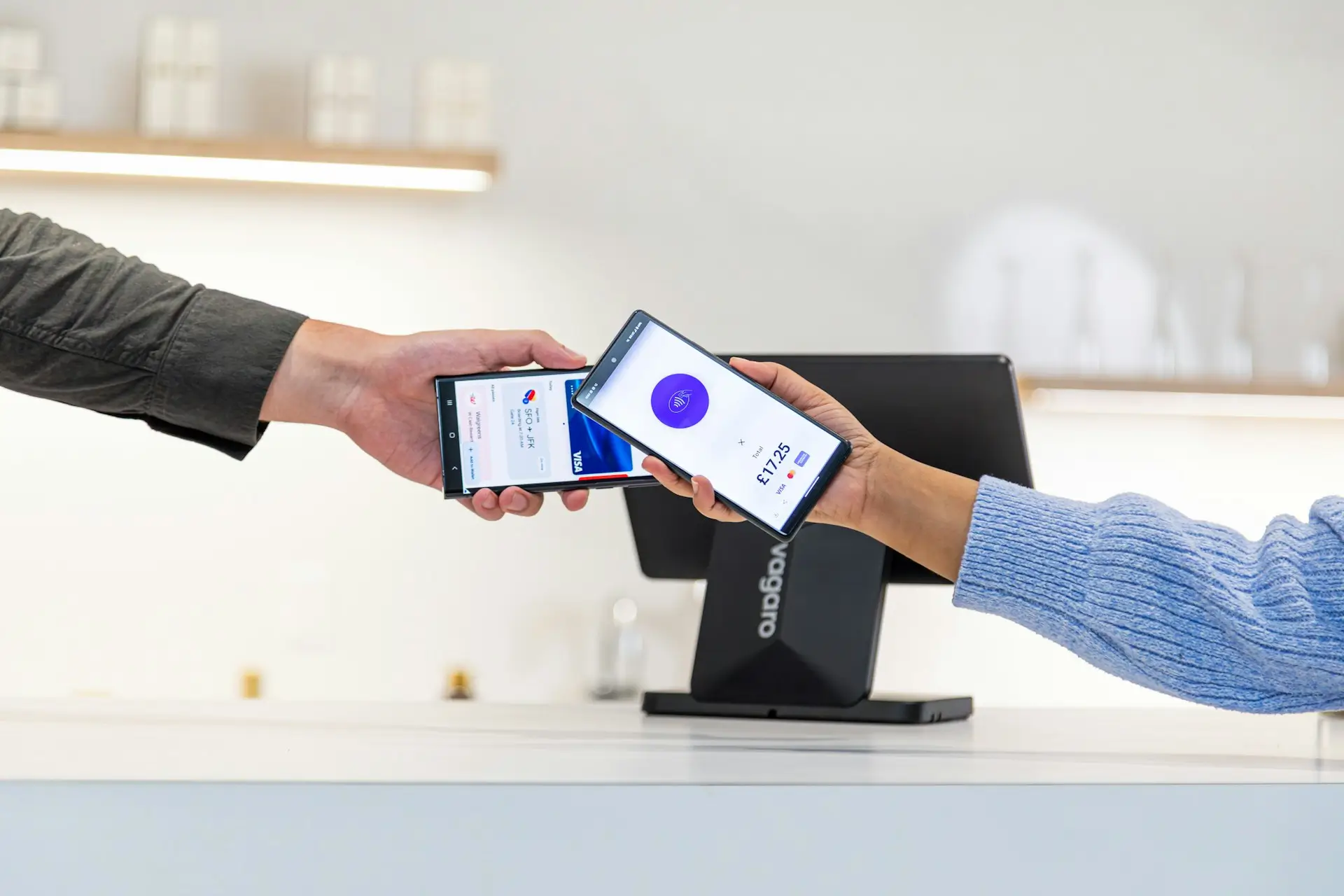
Sign Up for Payments That Connect to 2,000+ Software Vendors and POS Systems
Sign up with Coastal Pay, a payment processor that connects to 2,000+ software vendors and POS systems. Get approved in minutes and plug payments into the tools you already use.

Best Payment Gateways With 2,000+ Integrations (Including Coastal Pay)
Comparing payment gateways with 2,000+ integrations? See how Coastal Pay stacks up against Stripe, PayPal, Braintree, Payzone, PayWavez and Adyen for real-world deployments.
The Ultimate Dual Pricing Comparison Guide: Zero-Fee Processing for Retail & E-Commerce
Rising card acceptance costs are squeezing retail and e-commerce margins. A well-built dual pricing program helps merchants keep advertised prices competitive while shifting processing expense away from the business and onto the card price in a transparent way.

What Is Cash Discounting? Everything You Need To Know
Have you ever found yourself wondering about what cash discounting is and how it works?
