Jump to: Terminal Comparison Table | How Coastal Pay Sets Up Dual Pricing | Quick FAQ | Get Started
Let’s Define How Automatic Cash Discounts and Dual Pricing Really Work
Before comparing terminals, it helps to understand what is actually happening when a terminal “automatically calculates” a cash discount – because the answer surprises most merchants.
Three Terms, One Concept
Cash discounting means customers who pay with cash (or ACH) receive a lower price than customers who pay by card. The lower cash price is the merchant’s “real” price; card customers pay a slightly higher amount that covers processing costs.
Dual pricing is how most compliant cash discount programs are structured today. Two prices are displayed simultaneously at checkout – the cash price and the card price. The customer chooses their method, and the terminal applies the correct total automatically. This is the model Coastal Pay recommends and configures for most merchants.
Surcharging is different – it adds a fee on top of the stated price specifically for credit card payments. Surcharging has additional card-brand rules and some state-level restrictions that dual pricing typically avoids.
Where the “Automatic” Part Actually Lives
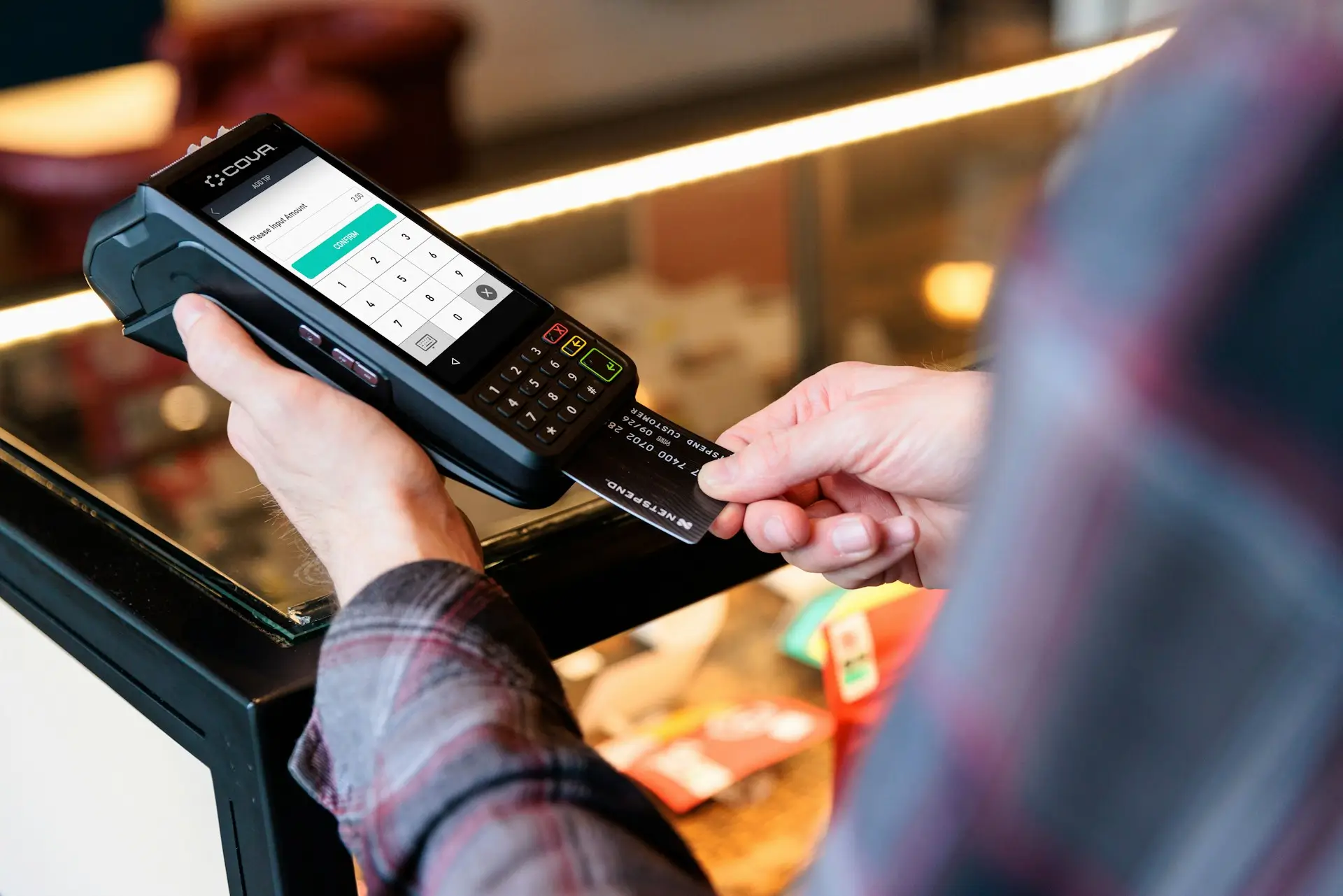
Here is the key insight that most merchants miss: the hardware alone does not calculate the discount. A PAX or Valor terminal is just an Android computer with a card reader. The automatic dual pricing logic – the rate, the split between cash and card prices, how debit is handled, what appears on the receipt – lives in the software application that your processor loads onto the device.
When Coastal Pay programs a terminal for your dual pricing program, we configure the rate structure, the receipt language, and the debit handling rules before the device is shipped to you. That configuration is what makes it “automatic.”
Here’s What You Should Look for in a “No-Cost” Terminal Setup
Not all dual pricing setups are configured equally. Use this checklist before agreeing to any terminal program.
Terminal and Program Must-Haves
✓EMV chip and contactless (NFC): Both are required for current card-brand compliance and customer expectations.
✓Customer-facing display: The dual price must be visible to the customer before they confirm payment – not just on the staff screen.
✓Tip support: For restaurants and service businesses, the terminal must calculate the tip on the correct base amount and display it clearly.
✓Split-tender support: Some customers pay part cash, part card. The terminal must handle this without staff manually recalculating fees.
✓Correct debit handling: Under card-brand rules, debit cards cannot be surcharged. Your processor’s configuration must address this properly for your program type.
✓Compliant receipt language: The receipt must show the correct line items (cash price, service charge if applicable, total) in a format that meets card-brand and state disclosure requirements.
✓Posted signage: Customers must be informed of the dual pricing policy at the point of entry and at the register – before they pay. Your processor should provide signage templates.
✓Remote configuration and updates: When rates or compliance rules change, your processor should be able to update terminal software remotely without shipping new hardware.
Coastal Pay reviews each of these requirements with every merchant before recommending a terminal or POS setup, and handles the configuration before devices arrive at your location.
Which Credit Card Terminals Handle the Cash Discount Math for You?
The following terminal families are the most commonly deployed for automatic dual pricing programs in the US market. Coastal Pay works with all of them and pre-configures each for your specific program before shipping.
Quick Overview by Terminal Type
- Countertop terminals (Valor VL100, PAX A80): Best for single-lane retail, service desks, and front counters. Fixed location, wired connection, customer-facing screen.
- Wireless/portable terminals (Valor VL110, PAX A920): Best for tableside payments, mobile service, pop-ups, and businesses where the terminal moves to the customer.
- Smart Android terminals (PAX A920 Pro): Touchscreen, app-capable, works for both retail and light restaurant use with dual pricing apps loaded by Coastal Pay.
- Full POS systems (SkyTab, Paradise POS with Coastal Pay integration): Best for multi-lane retail, full-service restaurants, and businesses needing inventory, menus, and reporting alongside dual pricing.
Terminal Comparison Table
| Device / System |
Type |
Ideal Industries |
Dual Pricing Support |
How Coastal Pay Configures It |
| Valor VL100 |
Countertop terminal |
Retail, service, pharmacy, quick service |
Full auto – shows cash/card price, handles tips |
Pre-programmed rate, receipt language, debit rules shipped ready to use |
| Valor VL110 |
Wireless / portable |
Restaurants (tableside), mobile, events |
Full auto – tip on card price, split tender |
Same pre-config as VL100; wireless activation on arrival |
| PAX A80 |
Countertop smart terminal |
Retail, service, small food service |
Cash receipt / dual pricing app loaded by Coastal Pay |
App installed with rate structure; BIN logic for debit handling |
| PAX A920 / A920 Pro |
Wireless smart terminal |
Mobile, salon, pop-up retail, mid-size food service |
Dual pricing app; customer-facing touchscreen display |
Same app configuration as A80; remote update capable |
| SkyTab (Shift4) |
Full POS + pay-at-table |
Full-service restaurants, bars, hospitality |
Dual pricing via Advantage Program configuration at POS level |
Coastal Pay integration; POS displays both prices on order screens |
| Paradise POS |
Full POS system |
Restaurants, retail, food service |
Dual pricing option in POS software; partial cash/card support |
Coastal Pay integration via 2,000+ software compatibility |
How Do Valor Terminals Handle Automatic Discounts at the Counter and Table?
Valor Terminal Family
VL100 Countertop
VL110 Wireless
Recommended by Coastal Pay
Valor terminals are specifically designed for dual pricing and cash discount programs, making them among the most commonly deployed devices for automatic cash discount setups in the US market.
Valor’s VL100 (countertop) and VL110 (wireless/pay-at-table) are built with dual pricing programs in mind. When Coastal Pay configures these devices for your business, the terminal software handles the calculation at every point of the transaction workflow – no staff math required.
What the Customer Sees
When a transaction is initiated, the Valor terminal screen displays:
- The item or subtotal amount
- The applicable tax
- The non-cash service charge (shown as a separate line)
- The total if paying by card
- The lower total if paying by cash
Receipt Example: $100 Ticket with 3.5% Dual Pricing Differential
COASTAL PAY – EXAMPLE RECEIPT
Subtotal$96.62
Tax (8%)$7.73
Non-Cash Service Charge (3.5%)$3.65
Card Total$108.00
Cash Price$104.35
Payment MethodVISA *4242
The terminal automatically applies the correct total based on the customer’s payment method selection. For restaurants, Valor terminals handle tip prompts on the card price, and the math recalculates correctly when a customer adds gratuity. Split-tender transactions (part cash, part card) are also handled without manual recalculation.
Remote Updates via Coastal Pay
If you adjust your rate differential, Coastal Pay can push the updated configuration to your Valor terminals remotely. No new hardware, no technician visit. This matters when card-brand rules or your own pricing strategy changes.
What You Need to Know About PAX Smart Terminals with Built-In Cash Discounting
PAX A-Series Smart Terminals
A80 Countertop
A920 Wireless
A920 Pro Touchscreen
PAX Android smart terminals are among the most widely distributed EMV devices in the US. When loaded with Coastal Pay’s dual pricing application, they become fully automatic cash discount terminals.
PAX A-series devices are Android-based smart terminals that many merchant service providers – including Coastal Pay – load with custom payment applications. The PAX hardware does not come pre-configured for cash discounting out of the box. That configuration is the processor’s job.
The “Cash Receipt” Feature
When Coastal Pay configures a PAX A80 or A920 for your dual pricing program, we load an application that enables the cash receipt or dual pricing flow. This means:
- The terminal starts each transaction from the card-priced total
- When the customer selects cash or ACH, the terminal automatically applies the discount and shows the reduced total
- The service charge appears as a separate line on the receipt for card transactions
- BIN logic in the application correctly identifies debit cards, handling them per your program type and card-brand rules
Where PAX Terminals Shine
PAX A-series terminals are a strong fit for mobile service businesses, salons, pop-up retail, pharmacies, and small food service operations. The A920’s wireless capability and customer-facing touchscreen make it particularly useful where the terminal moves between customers or counter space is limited.
One Important Tradeoff
For heavy restaurant environments with complex tipping, multi-seat checks, or frequent split tenders, the Valor VL110 or a full POS integration may be more purpose-built for those workflows. PAX devices handle tipping, but Valor’s dual pricing implementation was built specifically for the restaurant and retail use cases where tip calculation and split-tender math are common. A Coastal Pay specialist can advise which device fits your specific flow.
Pre-Programmed and Ready to Use
Coastal Pay ships PAX terminals with your dual pricing rate structure already loaded. When the device arrives, your staff plugs it in, enters a few setup steps, and processes their first transaction – no manual programming required.
Quick FAQ: Dual Pricing Compliance and Debit
Is dual pricing legal in my state?
Dual pricing – displaying both a cash price and a card price at checkout – is generally permitted in all 50 US states when implemented correctly, including proper signage and clear price display before the customer pays. Surcharging (adding a fee on top of the listed price) has additional restrictions in some states. Coastal Pay reviews your state and industry before recommending a configuration to ensure your specific setup is compliant.
Does dual pricing work with debit cards?
Under Visa and Mastercard rules, debit cards cannot be surcharged. Under a true dual pricing program, the card price applies to all card transactions – both credit and debit – because the price difference is presented as two different prices rather than a surcharge added to a stated price. Coastal Pay’s terminal configurations address this distinction so your setup stays within card-brand rules.
Here’s How Full POS Systems Like SkyTab and Paradise POS Manage Dual Pricing
For restaurants, bars, and multi-lane retail operations, a standalone terminal is often not enough. Dual pricing needs to run inside your POS workflow – at the order screen, at the customer display, and on the receipt – not just at the final payment step.
How POS-Level Dual Pricing Works
In a dual pricing-configured POS like SkyTab (Shift4’s restaurant-focused platform) or Paradise POS, the dual pricing logic is embedded at the software level rather than just at the payment terminal. This means:
- The order screen shows the card total and cash total from the beginning of the ticket
- Customer-facing displays show both prices before the customer commits to a payment method
- Tip calculations run on the card price and adjust automatically when the tip is added
- Split checks calculate correctly even when one guest pays cash and another pays card
- Partial cash/partial card splits are handled without staff recalculating fees manually
Restaurant Ticket Example: Table of Two
TABLE 7 – END OF MEAL TICKET
Food and Beverages$82.40
Tax (8.5%)$7.00
Non-Cash Service Charge$3.57
Card Total$92.97
Cash Total$89.40
Guest 1 paid: MASTERCARD *1111$46.49
Guest 2 paid: CASH$44.70
Coastal Pay’s 2,000+ POS Integrations
Coastal Pay connects to 2,000+ POS systems and software platforms, meaning dual pricing logic can be layered onto existing setups where technically supported. For new installs, SkyTab and Paradise POS are among the POS systems where Coastal Pay has strong configuration experience for dual pricing deployments. Merchants in retail, restaurants, hospitality, and pharmacy all benefit from POS-level dual pricing that runs automatically from order entry through final payment.
Talk to a Coastal Pay Dual Pricing Specialist
Not sure whether you need a standalone terminal or a full POS? Share your business type, average ticket size, and state with Coastal Pay for a specific device and program recommendation.
Request a Recommendation or call 888-266-1715.
How Coastal Pay Sets Up Automatic Cash Discounts for Your Business
Getting from “interested in dual pricing” to “processing live transactions with automatic cash discounts” is a structured process with Coastal Pay – not something you figure out on your own after receiving a box of hardware.
Step 1: Discovery
A Coastal Pay specialist reviews your state (for compliance requirements), your industry, your average ticket size, and your current equipment. This determines whether a Valor, PAX, or POS-based setup is the right fit and what rate differential makes sense for your cost structure.
Step 2: Instant Approval
Most merchants are approved in as little as 2 minutes through Coastal Pay’s instant boarding process. You don’t wait weeks to find out if you qualify – the approval comes quickly so setup can begin.
Step 3: Terminal Configuration
Coastal Pay programs your chosen terminals or POS integration with your specific dual pricing rate structure, receipt language, debit handling rules, and BIN logic before shipping. Devices arrive ready to process – not requiring your staff to configure software settings they’ve never seen before.
Step 4: Signage and Compliance Setup
Coastal Pay provides signage templates that meet card-brand and state disclosure requirements. Required signage must be posted at the entrance and at the point of sale. We walk you through placement requirements so your setup is compliant from day one.
Step 5: Staff Training and Go-Live
Most dual pricing setups require only brief staff training – the terminal does the math. Coastal Pay provides training resources, video walkthroughs, and live support at 888-266-1715 for your team during the first days of processing. The FAQ and helpdesk are available for ongoing questions.
Step 6: Ongoing Monitoring and Updates
As card-brand rules evolve and your business grows, Coastal Pay can push configuration updates to terminals remotely and advise on program adjustments. You don’t re-apply or re-hardware when a rule changes – your processor handles it. Explore Coastal Pay’s POS systems page and dual pricing program details to see the full scope of what’s supported.
What’s the Right Setup for Your State, Tickets, and Industry?
Here is a quick scenario guide to help you identify the right starting point before talking to Coastal Pay:
| Business Profile |
Recommended Setup |
| Small retail, service, or pharmacy – average ticket under $50 |
Valor VL100 or PAX A80 countertop, pre-configured by Coastal Pay |
| Restaurant or bar with tableside service |
Valor VL110 wireless pay-at-table or SkyTab POS with dual pricing |
| Mobile service business (salon, contractor, pop-up) |
PAX A920 wireless smart terminal with Coastal Pay dual pricing app |
| Multi-lane retail or pharmacy with full POS |
POS integration via Coastal Pay’s 2,000+ compatible systems |
| High-volume B2B or mixed in-store/online |
Coastal Pay Gateway + dual pricing for card and online channels combined |
Laws and card-brand rules for dual pricing programs are updated periodically. Coastal Pay continuously monitors these changes and adjusts terminal configurations and program guidance accordingly. When in doubt, bring your last processing statement and a description of your current setup to a Coastal Pay specialist – we can give you a specific terminal model, rate structure, and compliance checklist in a single conversation.
FAQ: Automatic Cash Discount Terminals and Dual Pricing
Is dual pricing legal in my state?
Dual pricing – displaying both a cash price and a card price at checkout – is generally permitted in all 50 US states when implemented correctly, including proper signage and clear price display before the customer pays. Surcharging (adding a fee on top of the listed price) has additional restrictions in some states. Coastal Pay reviews your state and industry before recommending a dual pricing or surcharging configuration to ensure your specific setup is compliant. When in doubt, consult your legal counsel alongside Coastal Pay’s program guidance.
Does dual pricing work with debit cards?
Under Visa and Mastercard rules, debit cards cannot be surcharged. Under a true dual pricing program, the card price applies to all card transactions – both credit and debit – because the difference is presented as two distinct listed prices rather than a surcharge added to a base price. Coastal Pay’s terminal configurations handle this distinction correctly within card-brand rules. Confirm your specific program structure with Coastal Pay during onboarding.
Do I need new hardware to run a dual pricing program with Coastal Pay?
Not always. If you have compatible EMV terminals (Valor, PAX, or others), Coastal Pay can often reconfigure your existing hardware remotely. If new terminals are needed, Coastal Pay provides pre-programmed devices – Valor or PAX – shipped ready to use with your dual pricing rates already loaded. No on-site technician required in most cases.
How does a dual pricing terminal show the cash vs. card price to customers?
When a transaction is initiated, the terminal screen displays both the cash price and the card price – including the non-cash service charge as a separate line item – before the customer selects a payment method. Once they choose, the terminal automatically applies the correct total. The receipt shows the price paid, the service charge if applicable, and the total in a format that meets card-brand disclosure standards. Contact Coastal Pay to see an example receipt for your industry before committing to a program.