
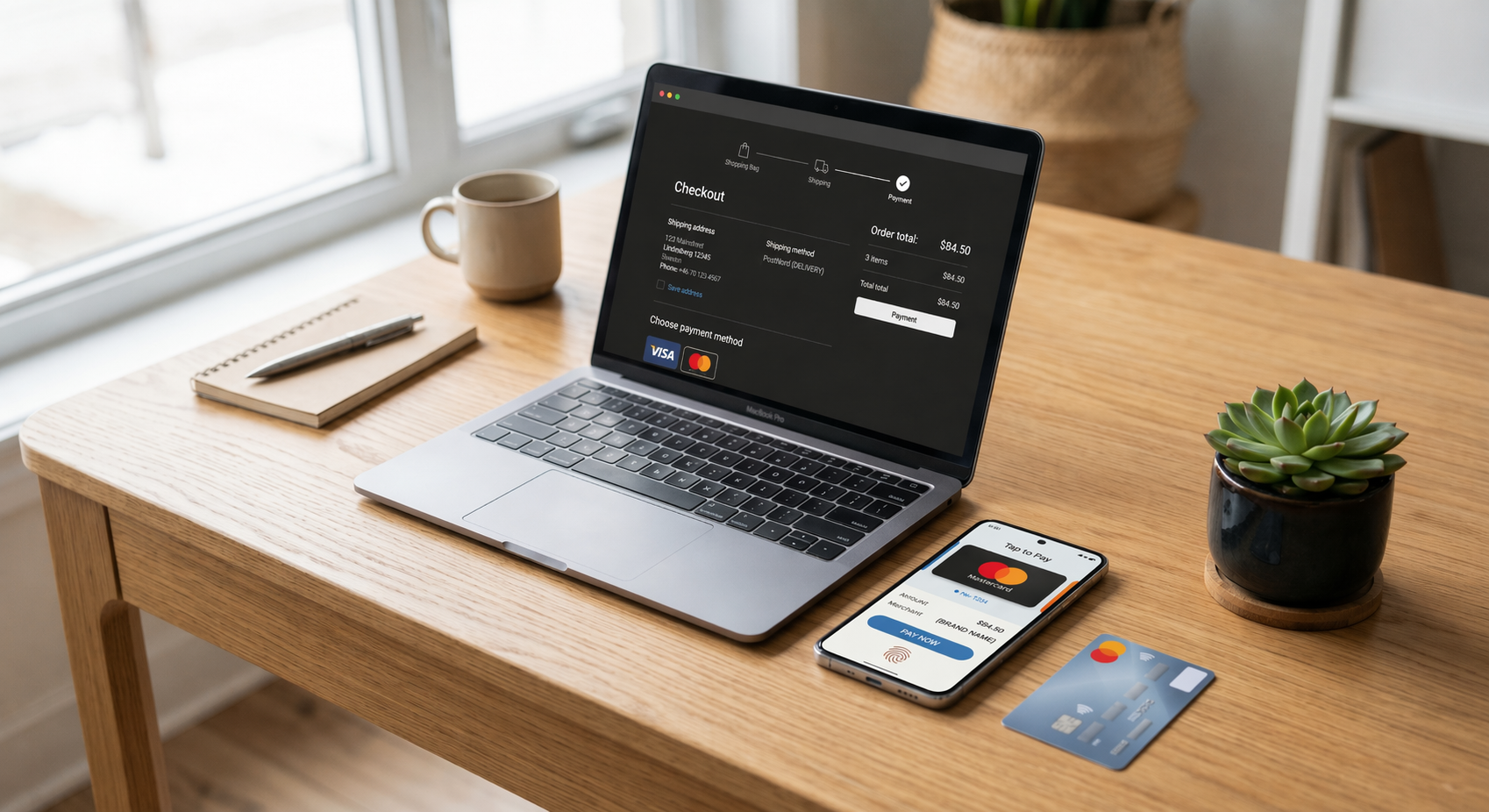
How to Choose the Best Payment Options for Your Online Store (Using Coastal Pay)
Choosing payment options for your online store is not about turning on everything - it is about matching how your best customers actually want to pay. This guide walks you through a simple way to pick the right mix of cards, wallets, ACH, BNPL, and even crypto, and shows exactly how to launch them using Coastal Pay's next-generation gateway.
Share
Let’s Define What “the Right” Payment Mix Really Means
There is a common trap that online store owners fall into when thinking about payment options: the belief that more is always better. In practice, offering every possible payment method creates reconciliation overhead, adds more chargeback surfaces, and can clutter checkout in ways that actually reduce conversion. The goal is not comprehensiveness – it is fit and performance.
The right e-commerce payment mix means:
- Maximum completed checkouts by removing friction for the buyers who are most likely to convert
- Controlled risk and overhead by not adding methods that generate disproportionate disputes or backend complexity for minimal sales volume
- Manageable fees by choosing methods that align with your margin structure and, where possible, using programs like dual pricing to reduce or pass through card costs
The opposite failure modes are equally costly: offering only cards when your mobile buyers expect Apple Pay, or defaulting to a single-method checkout when your B2B clients need ACH. Both leave real revenue on the table.
Coastal Pay’s gateway is built so merchants can test and adjust their payment mix quickly – turning methods on or off through integrations with 2,000+ platforms – instead of being locked into a rigid setup that requires a developer every time buyer behavior shifts.
Here’s How Your Customers Should Drive Which Ways You Get Paid
Before configuring any payment option, answer five questions about your buyers:
- Where are they located? U.S.-only, North American, or global with meaningful traffic from Europe or other regions?
- What devices do they use? High mobile traffic means wallets like Apple Pay and Google Pay have an outsized conversion impact.
- What is your average order value? Low-ticket stores (under $50) need fast, frictionless card and wallet checkout. Mid-to-high ticket stores (above $75 to $100) gain significantly from Buy Now Pay Later options.
- Are your buyers consumers or businesses? B2C buyers lean on cards and wallets. B2B buyers often prefer or require ACH, bank transfer, or invoice-based terms.
- Are they repeat or one-time buyers? Repeat buyers benefit from saved payment methods and one-click checkout. First-time buyers need trust signals – PayPal and branded wallets provide that familiarity.
Here is how those answers play out across three common e-commerce profiles:
- US DTC apparel brand: Mobile-heavy audience, average ticket $85 to $140. Priority methods: Apple Pay, Google Pay, cards, PayPal, Klarna or Afterpay. Buyers expect one-tap checkout on phones and installment options on higher-priced pieces.
- B2B parts supplier: Desktop-primary, average invoice $800 to $5,000. Priority methods: cards, ACH bank transfer, email invoicing via payment links. Buyers expect net-terms options and no friction on large wire-style payments.
- Global digital downloads store: International audience across U.S., UK, and EU. Priority methods: cards, PayPal, Apple Pay, Google Pay, and possibly Klarna for European buyers. Crypto via Coinbase can appeal to a niche but motivated segment of tech-native buyers.
Coastal Pay’s 2,000+ integrations let you match specific payment options to distinct sales channels – a different configuration on your Shopify storefront than in your WooCommerce wholesale portal, for example – without managing separate merchant accounts.
What You Need to Know About Each Major Payment Type
Here is a practical rundown of the main e-commerce payment categories, including what each does well, where it falls short, and how Coastal Pay supports it.
Credit and Debit Cards
Cards remain the baseline expectation at any online checkout. Visa and Mastercard are non-negotiable. American Express and Discover are worth enabling if your audience skews affluent or professional, though Amex carries slightly higher interchange rates. Cards work across all devices, all ages, and virtually all order values.
Coastal Pay processes all major card types at a flat rate of 2.5% + $0.15 per transaction with no gateway fees – a predictable cost structure compared to tiered or interchange-plus models that fluctuate by card type. For merchants who want to eliminate card fees entirely, Coastal Pay’s dual pricing program lets you legally pass those costs to cardholders while offering a lower price for ACH or cash payments.
Digital Wallets and P2P Options
Apple Pay, Google Pay, PayPal, and Venmo reduce checkout steps dramatically for mobile buyers. Instead of typing 16 digits on a small screen, a buyer authenticates with a fingerprint or face scan and the transaction is done. This friction reduction is the primary driver of mobile conversion gains – typically 5 to 15 percent improvement for stores that add wallets where buyers are already on phones.
PayPal also provides trust for first-time buyers who are unfamiliar with your brand. Venmo, owned by PayPal, carries similar trust signals for buyers aged 18 to 35. All four are available through Coastal Pay’s alternative payment methods suite and can be toggled in the same gateway account where you manage card processing.
Buy Now, Pay Later
Klarna and Afterpay are the primary BNPL options for U.S. e-commerce. Both let buyers split a purchase into installments – typically four payments over six weeks – without paying interest on the buyer side. The merchant pays a slightly higher fee per transaction but recovers it through higher average order values and reduced cart abandonment on big-ticket items.
BNPL performs best when average order value is above $75 and when you sell products where buyers often hesitate on price: apparel, electronics, wellness, fitness equipment, courses, and coaching packages. Coastal Pay supports Klarna and Afterpay as part of its alternative payment methods so you can enable them in the same gateway without a separate BNPL merchant account.
ACH and Bank Transfers
ACH is the most important payment type for B2B e-commerce and high-ticket consumer sales. Buyers pay directly from their bank account, fees are substantially lower than card transactions, and large corporate buyers often prefer or require it over card-based payment. For a $3,000 invoice, the difference between a 2.9% card fee ($87) and a low ACH fee is a meaningful margin improvement at scale.
Coastal Pay’s gateway processes both card and ACH from one account, with no separate setup needed. Payment links via email work well for ACH-ready invoicing workflows in B2B contexts.
Crypto via Coinbase
Crypto payments are a niche option but worth considering for specific profiles: tech-forward DTC brands, digital goods and software sellers, international customers in markets with card access issues, and high-ticket buyers who hold digital assets and prefer spending them. Chargebacks do not exist on completed crypto transactions, which is a meaningful fraud risk reduction for relevant merchant types. Coastal Pay connects to Coinbase as part of its alternative payment methods for merchants where the use case is clear.
| Payment Type | Best Use Case | Primary Revenue Lever | Coastal Pay Feature |
|---|---|---|---|
| Credit and Debit Cards | All stores, all order values | Baseline coverage | Gateway – flat 2.5% + $0.15, dual pricing available |
| Apple Pay and Google Pay | Mobile-heavy stores | Conversion | Alternative payment methods – same gateway |
| PayPal and Venmo | Broad e-commerce, first-time buyers | Conversion and trust | Alternative payment methods – same gateway |
| Klarna and Afterpay (BNPL) | AOV above $75, lifestyle and retail | Average order value | Alternative payment methods – same gateway |
| ACH bank transfer | B2B, high-ticket consumer | Margin and deal size | ACH processing – same gateway |
| Coinbase (Crypto) | Tech, digital goods, international niche | New customer segments | Alternative payment methods – same gateway |
Here’s How to Balance Conversion Gains Against Cost, Risk, and Complexity
Every payment method you add creates a trade-off. The upside is that more buyers can complete a purchase in the way they prefer. The downside is more reconciliation, more dispute pathways, more customer support questions, and in some cases more fraud exposure. Here is how to think through that trade-off systematically.
Fees and Effective Cost Per Order
The headline processing rate is not the whole picture. Factor in: the percentage of orders that use each method, any flat per-transaction fees, cross-border or currency conversion fees on international sales, and chargeback fees when disputes occur. Coastal Pay’s flat 2.5% + $0.15 pricing makes this calculation straightforward for card transactions. Merchants who qualify for dual pricing can shift card fees to buyers, making the net cost of card acceptance close to zero on qualifying transactions.
Fraud and Dispute Risk
Different payment types carry meaningfully different fraud profiles. Cards and PayPal generate the highest chargeback volumes for service businesses; ACH and crypto generate very few. BNPL providers absorb their own buyer dispute risk in most cases, which is part of the merchant fee. When evaluating risk, look at your specific product category and whether buyers can plausibly claim non-delivery or misrepresentation – these are the chargebacks that are hardest to win.
Coastal Pay’s gateway and connected platforms provide 3D Secure authentication, fraud scoring, and a clear chargeback response workflow so you are not navigating disputes alone. Clear refund policies and email confirmation records are your first line of defense regardless of which methods you accept.
A Simple 3-Step Framework
- Start with core methods – cards plus one or two wallets – and get clean baseline data on conversion, decline rates, and average order value.
- Calculate effective cost per successful order across each active method, factoring in fees and chargebacks rather than just the headline rate.
- Add or remove based on data – add a method when you see meaningful drop-off at checkout attributable to its absence; remove a method when it generates disproportionate disputes or support volume relative to the orders it produces.
How Does Coastal Pay Help You Launch and Manage These Options?
Most payment gateways require you to negotiate with separate providers for each method – a standalone BNPL agreement, a separate ACH processor, and potentially a different account for crypto. Coastal Pay consolidates all of these through a single merchant account and gateway, which simplifies approval, reporting, and reconciliation significantly.
Instant Boarding
Most standard-risk U.S. merchants are approved in approximately 2 minutes through Coastal Pay’s instant boarding process. Once approved, you log into the gateway, connect your e-commerce platform from the 2,000+ integration library, and begin enabling payment methods. A merchant who applies in the morning can realistically have cards, Apple Pay, and ACH live by that afternoon.
Enabling Methods in the Gateway
Within the Coastal Pay Gateway, specific payment options – Apple Pay, Google Pay, PayPal, Venmo, Coinbase, Klarna, Afterpay, and ACH – can be activated without separate applications for each. This is a meaningful operational difference from stitching together multiple providers. Centralized reporting means all method-level data (volume, declines, disputes) comes through one dashboard instead of requiring you to log into four different portals to understand your payment mix performance.
Integrations and API Access
Coastal Pay connects to Shopify, WooCommerce, Magento, and hundreds of other e-commerce platforms, as well as POS systems for merchants who sell both online and in-store. Developers can access API links and gateway docs to customize which methods appear for which customer segments or geographies – for example, showing Klarna only to buyers in regions where it has strong adoption, or surfacing ACH payment links only in B2B checkout flows.
Which Starter Setups Make Sense for Stores Like Yours?
Rather than building a payment stack from scratch, here are three opinionated starting configurations tied to common e-commerce profiles, each using specific Coastal Pay features.
Setup A – Small U.S. DTC Store
Best for: Lifestyle, apparel, wellness, or consumer goods brands selling primarily to U.S. buyers on mobile and desktop.
Payment mix: Coastal Pay Gateway (Visa, Mastercard, Amex, Discover) + Apple Pay + Google Pay + PayPal/Venmo. Optional: Klarna or Afterpay if average order value exceeds $75.
Implementation: Connect Coastal Pay to Shopify or WooCommerce via direct integration. Enable wallets in the gateway dashboard. Add BNPL as a second step once baseline conversion data is established.
Setup B – Expanding to U.S., Canada, and Europe
Best for: Brands with meaningful international traffic or plans to scale beyond the U.S. market.
Payment mix: Coastal Pay Gateway cards + Apple Pay + Google Pay + PayPal + Klarna (strong in EU and UK) + ACH for high-ticket orders. Consider Coinbase for tech-forward international buyers.
Implementation: Use Coastal Pay’s API or platform integration to serve localized payment options by geography. Discuss international card acceptance and currency handling with the Coastal Pay team during onboarding.
Setup C – B2B and High-Ticket Sales
Best for: B2B parts suppliers, professional services, enterprise software, high-ticket coaching, or any store where invoices regularly exceed $500.
Payment mix: Coastal Pay Gateway cards + ACH processing + email invoicing with payment links. Optional: Klarna or Afterpay for consumer-facing high-ticket offers.
Implementation: Enable ACH in the Coastal Pay Gateway. Use payment links embedded in proposals, quotes, and email follow-ups. Connect to QuickBooks or your CRM via Coastal Pay integrations to automate invoice workflows.
Industries already using Coastal Pay’s alternative payment methods and gateway across these setups include retail, restaurants, hospitality, coaching, pharmacies, travel, timeshare, and enterprise B2B – each with a tailored configuration, not a one-size-fits-all default.
What Should You Track After You Go Live With New Payment Options?
Adding new payment methods is the start of the process, not the end. Here are the five metrics to monitor after launch, and how to use them to tune your payment mix over time.
- Payment method usage percentage: What share of completed orders used each method? A method that accounts for less than 1 to 2 percent of orders after a full month is either poorly surfaced or genuinely not needed by your buyers.
- Checkout abandonment at the payment step: If you see a spike in drop-off specifically at the payment page, it often signals a missing method (e.g., buyers expecting Apple Pay or a BNPL option) or a technical problem with a specific method’s display.
- Decline rate by method and by country: High decline rates on specific card types or geographic regions signal the need for a local method or a different acquiring relationship. Coastal Pay’s reporting shows these by method for clean diagnosis.
- Chargeback rate by method: Compare dispute frequency across card types, PayPal, and BNPL. If one method generates disproportionate chargebacks relative to its order volume, it may warrant review of your fraud settings or eligibility requirements for that method.
- Average order value by method: Segment AOV by payment type. Buyers who pay with Klarna or Afterpay should show a higher average ticket if BNPL is working as intended. Buyers using ACH often represent your highest-value orders.
Use these numbers on a 30-60-90 day review cadence rather than making changes weekly based on small sample sizes. After 60 days of data, you will have a clear picture of which methods to promote more prominently in checkout, which to de-emphasize or remove, and where adding a new method might unlock a segment you are currently not converting.
Coastal Pay’s centralized reporting pulls all method-level data into one dashboard, which means you are not logging into separate Klarna, PayPal, and ACH portals to piece together a complete picture of your payment performance.
Next Steps: Align Your Checkout With How Your Best Customers Want to Pay
The most effective payment strategy starts with your buyers, not your processor. Work backward from where your customers are, what devices they use, what they are spending, and whether they are buying as individuals or businesses. Then build the smallest, highest-impact set of e-commerce payment methods that covers those buying patterns well.
A practical starting checklist:
- Enable cards, Apple Pay, and Google Pay as your baseline if you have significant mobile traffic.
- Add PayPal or Venmo if you serve buyers who are new to your brand or are in the 18 to 35 demographic.
- Add Klarna or Afterpay if your average order value is above $75 and you sell in categories where price hesitation is common.
- Enable ACH in the same gateway if you have B2B buyers or high-ticket consumer sales above $500.
- Consider Coinbase if your audience is tech-forward, international, or holds digital assets they want to spend.
- Review your payment method mix data at 30, 60, and 90 days after launch and adjust based on what you see.
Ready to configure the right mix for your specific online store? Get approved with Coastal Pay in approximately 2 minutes and speak with a payments specialist about turning on the ideal combination of cards, wallets, ACH, BNPL, and crypto for your buyers. Call 888-266-1715 or visit coastalpay.com/e-commerce to learn more about Coastal Pay’s e-commerce payment solutions.
Common Questions About Choosing Online Payment Methods
- How do I choose the right payment methods to offer on my e-commerce site?
- Start by working backward from your customers: their location, the devices they use, your average order value, and whether they are consumers or businesses. Most U.S. DTC stores should start with cards, Apple Pay and Google Pay, and PayPal, then add Klarna or Afterpay if average order value exceeds $75. B2B stores should prioritize ACH alongside cards. Coastal Pay’s gateway supports all of these in one account with instant approval in about 2 minutes.
- What payment methods should I offer on my online store?
- At minimum, offer credit and debit cards, at least one digital wallet (Apple Pay or Google Pay), and PayPal for trust-sensitive buyers. Add Buy Now Pay Later options like Klarna or Afterpay if your average order value is above $75. For B2B or high-ticket sales, add ACH bank transfers. Coastal Pay supports all of these through a single gateway with 2,000+ e-commerce and POS integrations.
- Does Coastal Pay support BNPL options like Klarna and Afterpay?
- Yes. Coastal Pay’s gateway supports Buy Now Pay Later options including Klarna and Afterpay as part of its alternative payment methods. These can be enabled alongside cards, ACH, Apple Pay, Google Pay, PayPal, Venmo, and Coinbase in a single account.
- How quickly can I get a payment gateway set up for my online store?
- With Coastal Pay’s instant boarding, most U.S. merchants are approved in approximately 2 minutes and can start accepting payments the same day. The gateway connects to 2,000+ e-commerce platforms including Shopify, WooCommerce, and custom API implementations.
Categories




Best Payment Processors for Independent Retail Stores in 2026 (Square, Shopify, Helcim, Clover, Lightspeed & Coastal Pay Compared)
If you are trying to add or update a payment gateway on your website and need hands-on help, Coastal Pay’s support team can walk you through every step. This guide shows you exactly how to reach the integration support team by phone, email, and helpdesk so you can get your integration live and taking payments fast.

How to Contact Coastal Pay for Payment Gateway Integration Support
If you are trying to add or update a payment gateway on your website and need hands-on help, Coastal Pay’s support team can walk you through every step. This guide shows you exactly how to reach the integration support team by phone, email, and helpdesk so you can get your integration live and taking payments fast.

Why Payment Processors Hold Funds (and How Coastal Pay Reduces Surprise Holds)
If you are searching for a payment processor that will “never hold your funds without reason,” you are really asking for one thing: no nasty surprises with your cash flow. In this article, we explain when and why processors pause payouts, why no honest provider can promise zero holds, and how Coastal Pay is built to reduce surprise fund freezes with clear policies, upfront underwriting, and real human support when things get complicated.
Payment Gateways With No Monthly Gateway Fees: Stripe, Square, PayPal and Coastal Pay Compared
If you are asking whether there is a payment gateway that does not charge a monthly gateway fee, the answer is yes – several major providers do not charge one, and Coastal Pay is one of them. In this guide we break down how Stripe, Square, PayPal and Coastal Pay each handle fees, then show you exactly how Coastal Pay’s $0/month gateway and flat 2.5% + $0.15 pricing stack up for real businesses at real volumes.
