Let’s Define ACH and Why It Matters Next to Regular Card Payments
ACH stands for Automated Clearing House. It is the U.S. bank-to-bank transfer network that moves money directly between checking and savings accounts. It is not a card payment. It is not a wire. It is the same network behind payroll direct deposit, Social Security disbursements, and most corporate vendor payment programs.
ACH vs Cards: How They Work Differently
- Cards (Visa, Mastercard, Amex, Discover): Card networks route the transaction, interchange fees are charged, and funds typically settle in 1 to 2 business days. Cost: 2.0% to 3.0% + per-transaction fee.
- ACH: A debit instruction pulls funds directly from the customer’s checking account through the ACH network. Cost: a low flat fee per transaction regardless of amount.
Where ACH Shines Alongside Cards
- High-ticket B2B invoices ($500 to $50,000+) where card fees compound
- Monthly or recurring subscriptions where cards expire or get replaced
- B2B retainers where AP teams prefer bank transfer over card
- Rent-like charges, membership dues, and service plan billing
Why Offer Both
Some customers prefer cards for rewards and convenience. Others prefer ACH for simplicity or because their AP process is bank-transfer driven. Offering both without friction means more customers can pay the way they prefer, and you can steer high-ticket transactions toward the lower-cost option. Coastal Pay supports both methods natively so you do not need separate providers for each.
Here’s What You Need to Have in Place Before You Turn on ACH and Cards
Basic Prerequisites
- U.S. business bank account: Business checking account (strongly preferred over personal) where both card settlements and ACH collections will deposit
- Coastal Pay merchant account: Apply at coastalpay.com – instant boarding in approximately 2 minutes for most U.S. low-risk merchants
- Basic business information: Legal business name, EIN, business address, website, owner identity details
- Your website or invoicing tool: Where the payment link or checkout will be embedded or sent
What Coastal Pay Handles So You Do Not Have To
- PCI DSS compliance at the gateway level – card data never touches your servers
- NACHA compliance for ACH – authorization capture, tokenization, and return handling
- Bank data security – routing and account numbers are tokenized and vaulted, never stored on your side
Developer Required?
No. Payment links, email invoicing, and hosted checkout require zero code. Developers can optionally use the Coastal Pay API for custom integrations, but most small to mid-size merchants go live without writing a single line of code.
How Does Coastal Pay Make ACH and Card Payments Work in One Simple Checkout?
The Coastal Pay Gateway is the central hub. One merchant account, one dashboard, one checkout experience for your customers, covering all payment types.
What Lives Inside One Coastal Pay Merchant Account
- Credit and debit cards (Visa, Mastercard, Amex, Discover)
- ACH bank debits
- Apple Pay and Google Pay (tap and mobile wallet)
- PayPal and Venmo
- Klarna, Afterpay (BNPL)
- Coinbase (crypto)
All run through the same merchant account at the same processing agreement. No separate vendor relationships for each.
The Single Checkout Experience
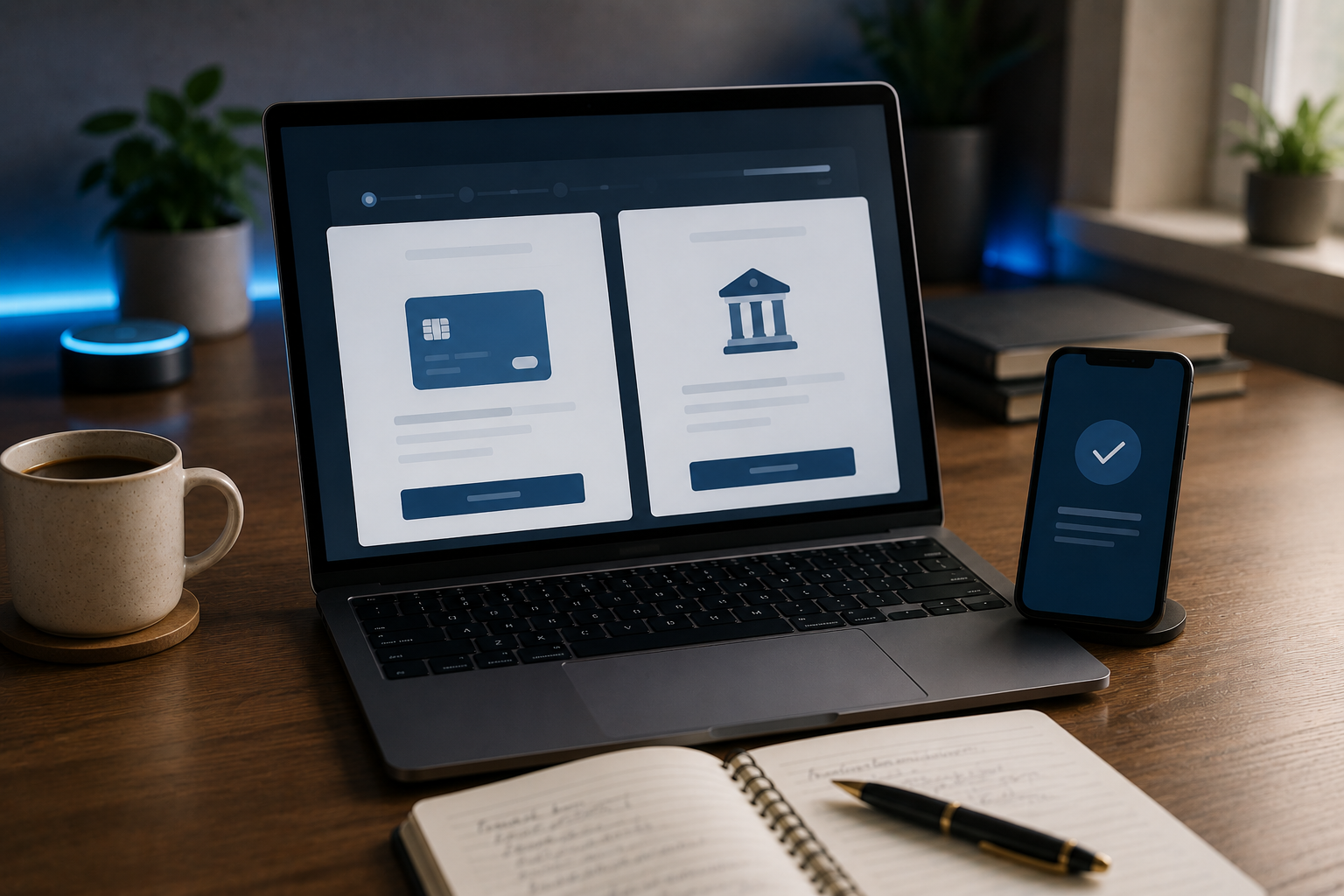
When you create a payment link or hosted checkout in Coastal Pay, both ACH and card options appear on the same customer-facing page. The customer selects their preferred method, enters the relevant information, and completes the payment. Coastal Pay handles tokenization, authorization, and routing for whichever method they choose. Your settlement is deposited to the same bank account regardless of payment method.
Integrations That Bring ACH + Cards Into Your Existing Tools
Coastal Pay’s 2,000+ integration directory means ACH and cards can flow through your existing POS, e-commerce cart, ERP, CRM, or accounting platform without rebuilding your billing stack. QuickBooks, NetSuite, Xero, WooCommerce, BigCommerce, and Lightspeed are all supported.
One Dashboard for Everything
ACH and card transactions appear in the same reporting view. Settlement tracking, return alerts, batch reconciliation, and fee reporting all happen in one place, not split across two or three vendor portals.
Here’s How to Set This Up Step by Step in the Coastal Pay Gateway
Step 1: Apply and Log In
Visit coastalpay.com and click “Get Started.” Complete the SignUp Link instant boarding application with your business details, owner information, and business bank account. Most U.S. low-risk merchants receive approval in approximately 2 minutes. Log into your Coastal Pay Gateway dashboard immediately after approval.
Step 2: Verify Payment Methods Are Active
Navigate to Settings and then Payment Methods in the gateway dashboard. You will see the full list of available payment types. Credit and debit cards are typically active at approval. ACH requires a brief enablement request (submit in the Payment Methods section or by calling 888-266-1715). ACH is typically active within 1 to 3 business days after bank account verification completes.
Step 3: Create a Unified Payment Link
In the dashboard, navigate to Payment Links and click “Create Link.” Configure the payment amount (or leave as customer-specified for variable invoices), select both ACH and card as accepted payment methods, and add a description that will appear on the customer’s payment page and receipt. Preview the hosted checkout page to confirm both payment method options are visible and correctly labeled.
Step 4: Distribute and Confirm
Copy the payment link and add it to your invoice email, invoice PDF, website “Pay Now” button, or billing reminder. Send the link to a test customer (or yourself) and confirm the payment flow works end-to-end. Verify the transaction appears correctly in the Coastal Pay Gateway dashboard under your payment reports.
Step 5: Run a $1 to $5 Live Test on Each Method
Send one $1 to $5 card test transaction and one $1 to $5 ACH test transaction from different accounts. Confirm both appear in the gateway, settlement timing matches expectations, customer email receipts deliver correctly, and payment descriptors are readable. Contact 888-266-1715 if anything does not appear within the expected window.
Get Started in 2 Minutes – Enable ACH and Cards Today
What Does the Checkout Look Like for Your Customer?
The Customer-Facing Experience
Coastal Pay’s hosted checkout presents a clean, minimal interface that works equally well on desktop and mobile. A typical payment page includes:
- Invoice or payment amount displayed prominently
- Brief payment description (e.g., “Invoice #1042 – Marketing Services – June 2026”)
- Two clearly labeled payment method options: “Pay by Card” and “Pay from Your Bank (ACH)”
- The relevant form fields for whichever method the customer selects
Card Option Fields
- Card number
- Expiration date and CVV
- Billing ZIP code (for AVS verification)
- Cardholder name
ACH Option Fields
- Bank routing number
- Checking account number
- Account type (checking vs savings)
- Account holder name
- Authorization consent checkbox (NACHA-compliant language)
Confirmation and Receipts
After submission, the customer sees a confirmation screen. An email receipt is sent to the address provided. For card payments, the receipt confirms the authorized amount. For ACH, the receipt notes that the bank debit will clear within 2 to 5 business days – set this expectation clearly so customers are not surprised by a pending status.
Labeling Tip
Label the ACH option as “Pay from your bank (lower processing fees)” on high-ticket invoice payment pages. The transparency builds trust and nudges customers toward the lower-cost option naturally, without requiring a sales pitch.
What You Need to Know About Fees, Funding Times, and Risk With ACH vs Cards
Fee Comparison at Coastal Pay
| Payment Method | Coastal Pay Pricing | Cost on $1,000 Invoice | Cost on $5,000 Invoice |
|---|
| Credit Card | Flat 2.5% + $0.15 | $25.15 | $125.15 |
| ACH Bank Debit | Low flat per-item fee | $0.50 to $1.50 | $0.50 to $1.50 |
| Debit Card | Flat 2.5% + $0.15 | $25.15 | $125.15 |
Funding Timeline Comparison
- Credit/Debit Cards: Typically 1 to 2 business days from transaction date
- ACH Standard: Typically 2 to 5 business days from initiation date
- ACH Same-Day: Same business day for a small additional fee, if initiated before cutoff
Risk Differences
- Cards: Chargebacks are the main risk. Disputed transactions can be filed up to 120 days after the charge. Coastal Pay provides chargeback alerts and a dispute response process.
- ACH: Returns are the main risk (NSF, closed account, unauthorized). ACH return windows are typically 60 to 90 days for consumer accounts. Coastal Pay sends automated return notifications so your AR team can follow up quickly.
Smart Routing Strategy
- Invoices above $500: Default to ACH, offer card as secondary
- Impulse or low-ticket purchases under $100: Card or digital wallet is fine
- Recurring subscriptions above $80/month: ACH reduces churn from expiring cards
- B2B buyers with AP departments: ACH is almost always preferred by their team
How Can You Offer ACH + Cards Across Invoices, E-Commerce, and In-Person Flows?
For Invoice-Driven B2B Businesses
Create a Payment Link in the Coastal Pay Gateway with both ACH and card methods enabled. Add the link to your invoice email template as a “Pay Now” button. Alternatively, use Coastal Pay’s email invoicing feature to send fully formatted invoices with embedded payment options directly from the dashboard. The customer clicks once, selects ACH or card, pays in under 60 seconds.
For E-Commerce and Online Checkout
Integrate the Coastal Pay Gateway with your e-commerce platform using the direct plugin or API. Coastal Pay’s 2,000+ integration directory includes WooCommerce, BigCommerce, Magento, Shift4Shop, OpenCart, and Volusion. Once integrated, enable both ACH and card as checkout payment methods in the plugin settings. For cart values above a threshold (e.g., $500+), default the display to show ACH first.
For In-Person or Field Service Businesses
In-person card transactions run through POS-connected card readers (Clover, Lightspeed, Toast, NCR, and others via Coastal Pay integrations). For ACH at the point of service, generate a payment link in the Coastal Pay app and text or email it to the customer on-site. The customer enters their bank details on their phone in under 30 seconds, completing an ACH debit without a card reader.
For Recurring Billing and Subscriptions
Enable recurring billing in the Coastal Pay Gateway, set up a billing schedule, and collect ACH authorization from subscribers at enrollment. Coastal Pay’s hosted enrollment page captures routing, account number, and NACHA-compliant authorization consent. Card-on-file tokenization is available as a backup for customers who prefer card for smaller recurring charges.
Unified Reporting Across All Channels
Whether a payment comes through an invoice link, e-commerce checkout, or in-person POS, all ACH and card transactions reconcile in one Coastal Pay dashboard. One statement, one settlement account, one reporting view. Month-end close becomes significantly simpler.
Which Setup Is Right for You Based on Your Business Model?
B2B Professional Services (Consultants, Agencies, IT/MSPs)
Primary flow: Email invoices with ACH as the default option and card as backup. Setup needed: Payment links and email invoicing from the Coastal Pay Gateway (no code). Savings example: $5,000 invoice via ACH costs $0.50 to $1.50 versus $125.15 on card. On 20 such invoices per month: approximately $2,470/month in processing savings.
SaaS and Subscription Products
Primary flow: Recurring billing with ACH for subscriptions above $80/month and card-on-file for smaller tiers or as fallback. Setup needed: Coastal Pay recurring billing API or integration with billing platforms (Chargebee, GoHighLevel, Kajabi). Savings example: 200 subscribers at $200/month on ACH: approximately $400/month in ACH fees versus $8,030/month on 2.5% + $0.15. Annual ACH savings: approximately $92,000.
Retail and E-Commerce
Primary flow: Cards and digital wallets at standard checkout (fast, friction-free). ACH offered as an option for orders above $500 or for B2B wholesale buyers. Setup needed: E-commerce plugin from the Coastal Pay integration directory. No code required for most major platforms.
Field Services and Contractors
Primary flow: Card via POS or tap-to-pay for standard jobs. ACH via texted payment link for large project invoices ($1,000+). Setup needed: Coastal Pay POS integration plus mobile payment link capability from the dashboard app.
Quick Decision Table
| Business Type | Primary Tool | ACH Emphasis | Code Required? |
|---|
| B2B Professional Services | Payment Links / Email Invoices | High (default for invoices over $500) | No |
| SaaS / Subscriptions | Recurring Billing API | High for mid to high ticket tiers | Optional |
| E-Commerce | Platform plugin | Medium (for high-ticket or B2B orders) | No (plugin) |
| Field Services | POS + Texted Payment Links | Medium (for large project invoices) | No |
How Do You Go Live With Coastal Pay in a Few Minutes?
The Activation Path
- Click “Get Started” at coastalpay.com. Have your business name, EIN, owner details, and business bank account ready.
- Complete the 2-minute SignUp Link application. Most U.S. low-risk merchants are approved instantly.
- Log in to the Coastal Pay Gateway. Cards are typically active immediately. Submit the ACH enablement request and complete bank verification to activate ACH within 1 to 3 business days.
- Create your first Payment Link with ACH and cards enabled. Send it as a test to yourself.
- Run $1 to $5 live tests on both methods. Confirm both appear in your gateway reports and settlement arrives in your bank account within the expected window.
- Go live. Start sending ACH-enabled invoice links and checkout pages to real customers.
Support Available Throughout
- Phone support: 888-266-1715
- Helpdesk tickets for bank account changes, ACH limit review requests, and integration questions
- Coastal Pay API documentation for developers
- Integration support for connecting ACH and cards into your existing accounting and ERP stack
ACH plus card setup can be completed the same day you apply for most standard-risk U.S. businesses.
Get Started in 2 Minutes | Call 888-266-1715
Frequently Asked Questions
- How do I accept ACH payments easily along with regular credit cards?
- The easiest way is to use a single payment gateway that natively supports both. Coastal Pay’s gateway handles credit cards, debit cards, and ACH bank debits in the same merchant account, checkout page, and reporting dashboard. No separate gateway. No second vendor contract. Most merchants can apply and have ACH plus cards active within 1 to 3 business days using Coastal Pay’s instant 2-minute boarding.
- Do I need a developer to accept ACH and credit cards together?
- No. Coastal Pay’s payment links, email invoicing, and hosted checkout require no code. Merchants create a payment link from the dashboard, send it to customers, and customers choose card or ACH on the hosted page. Developer API and integrations are available for merchants who want custom checkout flows or deeper ERP/accounting integration via the 2,000+ integration directory.
- How fast can I go live with ACH and cards on Coastal Pay?
- Card processing is typically live the same day as merchant account approval, which takes approximately 2 minutes for most U.S. low-risk merchants. ACH enablement is typically active within 1 to 3 business days after approval, pending bank account verification. Most merchants can send their first ACH and card payment links within the same week they apply.