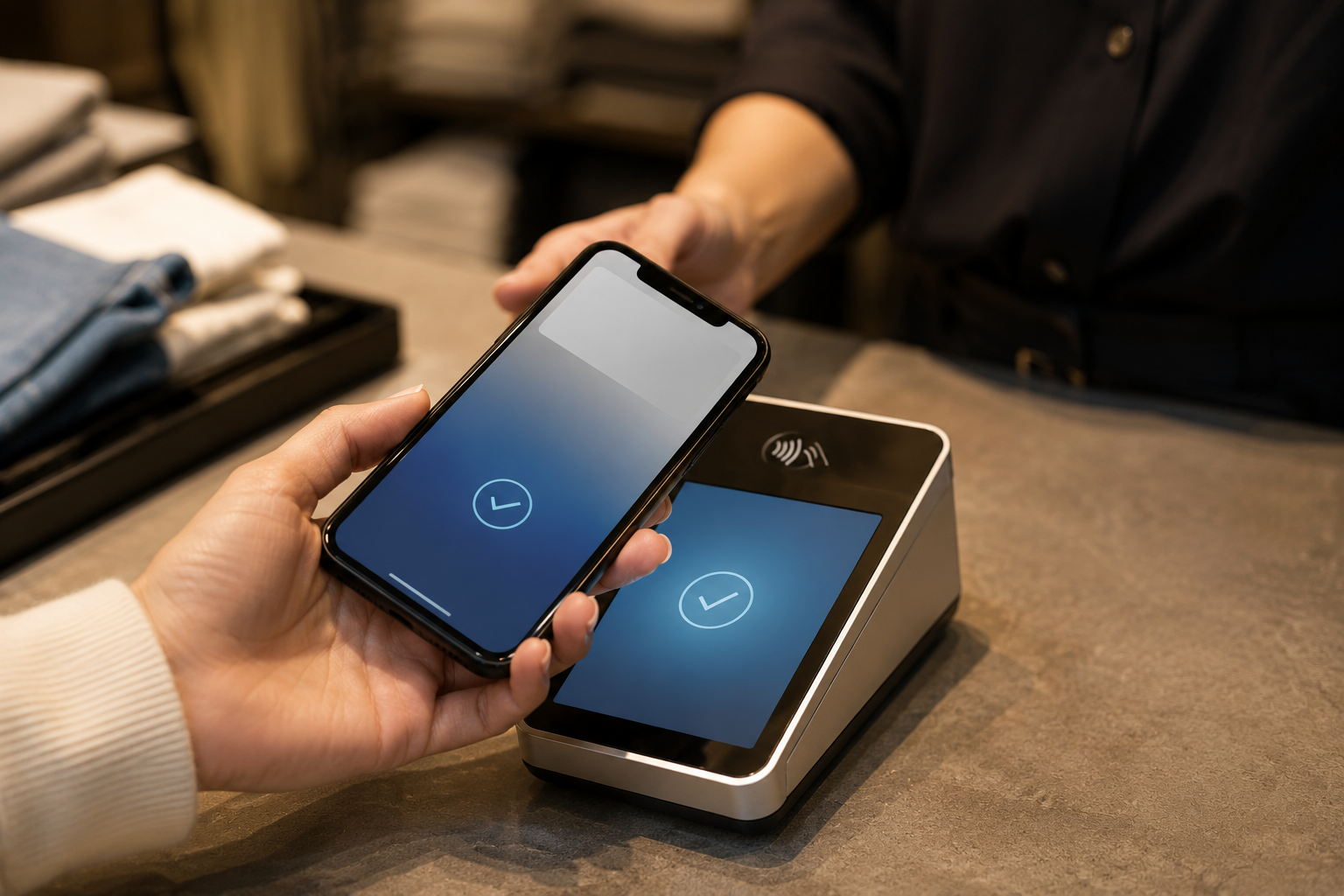
Let’s Define What It Really Means to Take Apple Pay and Google Pay Today
Apple Pay and Google Pay are digital wallets, not payment processors. They sit on top of cards and bank accounts that customers already have. When a customer pays with Apple Pay, they are using a tokenized version of their stored Visa, Mastercard, or debit card. When they pay with Google Pay, same mechanism. The wallet does not process the payment; it passes a secure token to your payment gateway, which then routes it through the card networks as a standard card transaction.
Where Wallet Payments Work
- In-person via NFC: Customer holds iPhone or Android near a contactless-capable terminal. The terminal reads the NFC token and processes the transaction.
- On the web: A “Pay with Apple Pay” or “Pay with Google Pay” button appears in supported browsers (Safari on iOS for Apple Pay; Chrome and most Android browsers for Google Pay). Customer authenticates with Face ID, Touch ID, or fingerprint.
- In apps: Mobile app checkout uses in-app payment APIs to trigger wallet authentication.
- Payment links and invoices: A hosted payment page served over HTTPS on a verified domain can display wallet options when the customer views the link on a supported device.
Key Takeaway: Wallets Are Enabled Through Your Processor, Not Apple or Google
You do not apply to Apple or Google directly for payment acceptance (except for Apple’s domain verification step for web payments). You enable wallet support inside your payment gateway or processor settings, and the integration handles the rest. That means choosing the right processor is the entire decision. Square is one option. Coastal Pay is another.
Here’s Why Many Businesses Want Options Beyond Square
Square is a popular starting point, but it has meaningful limitations for growing businesses.
Common Frustrations With Square
- Blended pricing that does not improve with volume: Square’s 2.6% + $0.10 in-person and 2.9% + $0.30 online rates do not negotiate downward for most mid-market merchants. At $50,000+ per month, the cost difference versus flat-rate or interchange-plus alternatives is significant.
- Account holds on volume spikes: Square is a PayFac sub-account model. Rapid revenue growth or unusual transaction patterns can trigger holds without warning, disrupting cash flow during a business’s best periods.
- Hardware lock-in: Square’s readers and POS hardware are designed to work with Square only. Switching processors often means replacing hardware.
- Limited multi-location and enterprise features: Centralized multi-MID reporting, advanced reconciliation, and enterprise-level support are not Square’s strength.
- Ecosystem dependency: The more features (appointments, payroll, loyalty) a merchant adopts within Square, the harder it is to leave.
What Merchants Are Looking For
Businesses searching for non-Square wallet options typically want wallet support combined with transparent flat-rate or negotiated pricing, more stability for growing volumes, compatibility with existing POS and accounting tools, and a processor they can actually call when something goes wrong. Coastal Pay is built for exactly this profile.
What Are Your Main Options to Accept Wallets Without Square?
Route 1: Full-Stack Processors Like Coastal Pay
Full-stack processors bundle the merchant account, payment gateway, wallet support, and integrations into a single relationship. Coastal Pay is a strong example: Apple Pay, Google Pay, PayPal, Venmo, Klarna, Afterpay, Coinbase, cards, and ACH all run through one merchant account at one flat rate. No separate vendor relationships. No extra wallet activation fees. 2,000+ POS, e-commerce, ERP, and CRM integrations included.
Best for: Growth-focused SMBs and mid-market businesses wanting wallet support plus deeper integration, transparent pricing, and a real phone number to call (888-266-1715).
Route 2: Other Aggregators (Stripe, PayPal, Shopify Payments)
Stripe, PayPal/Braintree, and Shopify Payments all support Apple Pay and Google Pay with varying levels of channel coverage. Quick setup, especially for pure e-commerce or SaaS. Pricing is typically blended (2.9% + $0.30 for Stripe standard) with limited negotiability at mid-market volumes. PayFac account freeze risk applies to all three for higher-volume or higher-risk merchants.
Best for: Early-stage businesses or developers already in those ecosystems who need fast wallet checkout on a single channel.
Route 3: Traditional Bank Merchant Account + Separate Gateway
Working directly with an acquiring bank and a standalone gateway (Authorize.Net, NMI, Elavon, Worldpay) gives maximum pricing negotiability at high volume but adds setup complexity. Wallet support depends on the gateway’s capabilities and may require separate Apple Pay and Google Pay registration. Monthly gateway fees apply in addition to processing rates.
Best for: Large enterprises processing millions per month with dedicated payments and IT teams who can manage multi-vendor relationships.
Here’s How Coastal Pay Handles Apple Pay and Google Pay From Day One
Coastal Pay’s Apple Pay and Google Pay support are built into the merchant account from day one, not add-ons that require separate enablement workflows or additional underwriting.
Channel Coverage
- E-commerce: Apple Pay and Google Pay display as checkout options when a customer visits your cart or checkout page on a compatible device and browser
- Payment links: Links generated from the Coastal Pay Gateway dashboard show wallet options when opened on a supported device
- Email invoicing: Branded invoice payment pages include Apple Pay and Google Pay as options for mobile recipients
- Tap to Pay on iPhone and Android: Accept contactless NFC payments including Apple Pay and Google Pay directly on a supported phone without a card reader
- NFC-capable terminals: All contactless payment acceptance via supported Coastal Pay terminal hardware
Pricing
Flat 2.5% + $0.15 per transaction covers all payment methods including Apple Pay and Google Pay. No separate wallet fee. No extra gateway subscription. ACH, Venmo, PayPal, Klarna, Afterpay, and Coinbase run at the same rate. All channels report through a single Coastal Pay dashboard.
Instant Boarding
Most U.S. low-risk merchants receive instant approval in approximately 2 minutes through Coastal Pay’s SignUp Link. Wallet payments can be live the same week you apply. No weeks-long implementation cycle.
“We switched from Square because we needed Apple Pay to work inside our existing WooCommerce store without replacing our whole setup. Coastal Pay had the WooCommerce integration ready, wallet support was included, and we were live in three days.”
Representative feedback from Coastal Pay merchants.
Get Coastal Pay Wallets Live in Days – Start Here
How Does Coastal Pay Compare to Stripe, PayPal, and Clover on Setup and Fees?
| Provider | Apple Pay Channels | Google Pay Channels | Setup Complexity | Pricing Model | Extra Gateway Fee |
|---|
| Coastal Pay | Web, links, invoices, Tap to Pay, NFC terminal | Web, links, invoices, Tap to Pay, NFC terminal | Low – plugin, dashboard toggle, 2-min boarding | Flat 2.5% + $0.15 | $0 |
| Stripe | Web, links, in-app, Stripe Terminal | Web, links, in-app, Stripe Terminal | Medium – dev work for web domain verification and API | 2.9% + $0.30 standard | $0 (add-on products extra) |
| PayPal / Braintree | Web (PayPal Complete), app | Web (Braintree), app | Medium – PayPal Complete Payments setup, Braintree API for full coverage | 2.59% to 2.99% + $0.49 | $0 standard; enterprise varies |
| Clover | NFC terminal, Clover Go reader | NFC terminal, Clover Go reader | Low for hardware; limited web/online support | 2.3% to 2.6% + $0.10 (varies by plan) | Monthly plan fee applies |
Where Coastal Pay Differentiates
- Omnichannel from one merchant account: Web, in-person, invoicing, and payment links all covered without switching vendors
- 2,000+ integrations: WooCommerce, BigCommerce, Lightspeed, Clover (via supported paths), NetSuite, QuickBooks, and others – wallet support follows through the integration
- Dual pricing option: Where allowed, merchants can offset card (and wallet) processing costs to near zero via Coastal Pay’s dual pricing program – not available with Square, Stripe, or Clover out of the box
- No PayFac freeze risk: True merchant account backed by Wells Fargo and Axiom Bank with 13 acquiring bank relationships
Here’s How to Turn On Apple Pay and Google Pay With Coastal Pay Step by Step
For E-Commerce (WooCommerce, BigCommerce, Magento, Custom Cart)
- Sign up and get approved via the Coastal Pay SignUp Link at coastalpay.com – approximately 2 minutes for most merchants
- Install the Coastal Pay gateway plugin for your platform (WooCommerce plugin, BigCommerce app, Magento extension, or custom API integration)
- Connect your merchant credentials (API key and gateway ID) in the plugin settings
- Enable Apple Pay and Google Pay in the Payment Methods section of the plugin or gateway dashboard
- Complete Apple Pay domain verification: Apple requires placing a verification file at a specific path on your web server (e.g., /.well-known/apple-developer-merchantid-domain-association). Coastal Pay’s support team provides the file and step-by-step instructions.
- Test in sandbox: Use a test card and load your checkout on an iPhone in Safari (Apple Pay) and an Android device in Chrome (Google Pay) to confirm buttons display and payments process
- Go live and monitor the first week of wallet transactions in your Coastal Pay dashboard
For Payment Links and Email Invoicing
- Log into the Coastal Pay Gateway dashboard
- Navigate to Payment Links and create a new link with the invoice amount and description
- Confirm Apple Pay and Google Pay are enabled in the payment method configuration
- Save and copy the payment link URL
- Embed the link in your invoice email template, CRM automated billing message, or SMS reminder
- Test by opening the link on an iPhone (Safari) and Android device (Chrome) to confirm wallet buttons appear
For In-Person (NFC Terminal or Tap to Pay)
- Order a compatible NFC-capable terminal through Coastal Pay, or confirm your existing terminal supports contactless NFC (look for the contactless symbol)
- Alternatively, enable Tap to Pay on a supported iPhone or Android device using the Coastal Pay mobile app (no hardware required)
- Log into the terminal or app with your Coastal Pay merchant credentials
- Enable contactless payment acceptance in device settings if not enabled by default
- Test Apple Pay (iPhone) and Google Pay (Android) on a staff device with a $1 transaction before opening to customers
What Should You Watch Out for When Enabling Apple Pay and Google Pay?
Apple Pay Domain Verification
For Apple Pay on the web, Apple requires placing a domain association file at a specific path on your server before the Pay button will display. If your hosting environment does not allow file placement at that path (some managed WordPress or Shopify subdomain setups can complicate this), the button will not appear even if the gateway is correctly configured. Coastal Pay’s support team at 888-266-1715 walks merchants through the verification step and can troubleshoot hosting-specific issues.
Device and Browser Compatibility Testing
Apple Pay only displays in Safari on Apple devices (iPhone, iPad, Mac with Touch ID or Face ID). Google Pay displays in Chrome and most Android browsers. A button that works perfectly on an iPhone may be invisible to an Android user unless both are properly configured. Test on real devices, not just browser developer tools, before declaring your checkout live.
Dual Pricing and Surcharging With Wallets
Wallet payments (Apple Pay, Google Pay) use the underlying card network of the stored card. If you are running a dual pricing or surcharging program, the wallet transaction is treated as a card transaction for pricing purposes. Coastal Pay helps align your dual pricing configuration with card-brand rules for wallet transactions so you do not inadvertently apply fees in a non-compliant way.
Inconsistent Wallet Button Display
Wallet buttons appear only when the customer’s device, browser, and payment method are all compatible. A customer who does not have a card stored in Apple Wallet will not see the Apple Pay button. This is expected behavior, not a configuration error. Offering cards and ACH alongside wallets ensures every customer has a payment option.
How Do You Choose the Right Setup for Your Business Now and Later?
Decision Framework by Channel
- In-person only (retail, restaurant, service): Enable NFC-capable terminal or Tap to Pay via Coastal Pay. No web domain verification needed. Apple Pay and Google Pay work through the contactless reader from day one.
- Online only (e-commerce, SaaS, online services): Install Coastal Pay gateway plugin for your platform. Complete Apple Pay domain verification. Both wallets appear at checkout automatically for compatible device-browser combinations.
- Omnichannel (web + in-person + invoicing): Coastal Pay handles all three channels under one merchant account. One dashboard, one statement, one reconciliation view covering wallet payments across all channels.
Decision Framework by Tech Level
- No code: Payment links and email invoicing from the Coastal Pay Gateway dashboard require no technical knowledge. Wallets are enabled as a dashboard toggle.
- Low code: E-commerce plugin for WooCommerce, BigCommerce, or similar platforms requires plugin installation and basic configuration. Domain verification is a file upload guided by Coastal Pay support.
- Full API: Custom apps and embedded checkout use the Coastal Pay REST API to render wallet payment options directly in your application flow. Full API documentation is included at no extra cost.
Why Starting With Coastal Pay Keeps Future Channels Connected
The most common mistake is enabling wallets for one channel (e.g., just the website) with a vendor that cannot serve the other channels (invoicing, in-person) later. Coastal Pay’s omnichannel gateway means wallet payments added to your web checkout today are automatically available on your payment links and in-person terminal without switching vendors or rebuilding integrations.
Next Steps: Get Wallets Live With Coastal Pay in Days, Not Months
Most Coastal Pay merchants have Apple Pay and Google Pay active within 3 to 7 days from application. Here is the fastest path:
- Visit coastalpay.com and click “Get Started.” Complete the 2-minute SignUp Link application.
- Log into the Coastal Pay Gateway and enable Apple Pay and Google Pay in your payment methods settings.
- Connect your e-commerce platform, invoicing tool, or terminal using one of Coastal Pay’s 2,000+ integrations or API.
- Complete Apple Pay domain verification with the help of Coastal Pay’s support team at 888-266-1715.
- Test on real devices and go live.
For higher-volume businesses or multi-location operations wanting a custom rate review, the Coastal Pay Enterprise team builds a proposal tailored to your volume, channels, and tech stack – typically within a few business days.
Explore Coastal Pay Apple Pay and alternative payment methods for full channel and pricing details.
Get Started – Apple Pay and Google Pay Live in Days
Or call: 888-266-1715
Frequently Asked Questions
- What are the best ways to accept Apple Pay and Google Pay without using Square?
- Three main routes: (1) Full-stack processors like Coastal Pay that bundle merchant account, gateway, wallets, and integrations at flat 2.5% + $0.15 with no extra gateway fee. (2) Other aggregators like Stripe and PayPal that offer quick setup but less pricing flexibility at scale. (3) Traditional bank merchant accounts with a separate gateway for maximum pricing negotiability at very high volumes. Coastal Pay supports Apple Pay and Google Pay across e-commerce, payment links, email invoicing, Tap to Pay, and NFC terminals with instant 2-minute boarding.
- Do I need Apple or Google’s approval to accept their wallet payments?
- No direct approval from Apple or Google is required. Wallet acceptance is enabled through your payment processor. For web-based Apple Pay, you complete Apple’s domain verification (uploading a file to your web server), guided by your processor’s integration documentation. Coastal Pay’s support team walks merchants through domain verification as part of setup.
- Does Coastal Pay charge extra to accept Apple Pay and Google Pay?
- No. Apple Pay, Google Pay, PayPal, Venmo, Klarna, Afterpay, ACH, and Coinbase are all available within the Coastal Pay merchant account at the same flat 2.5% + $0.15 processing rate. No extra fee to enable wallets, no separate gateway subscription.