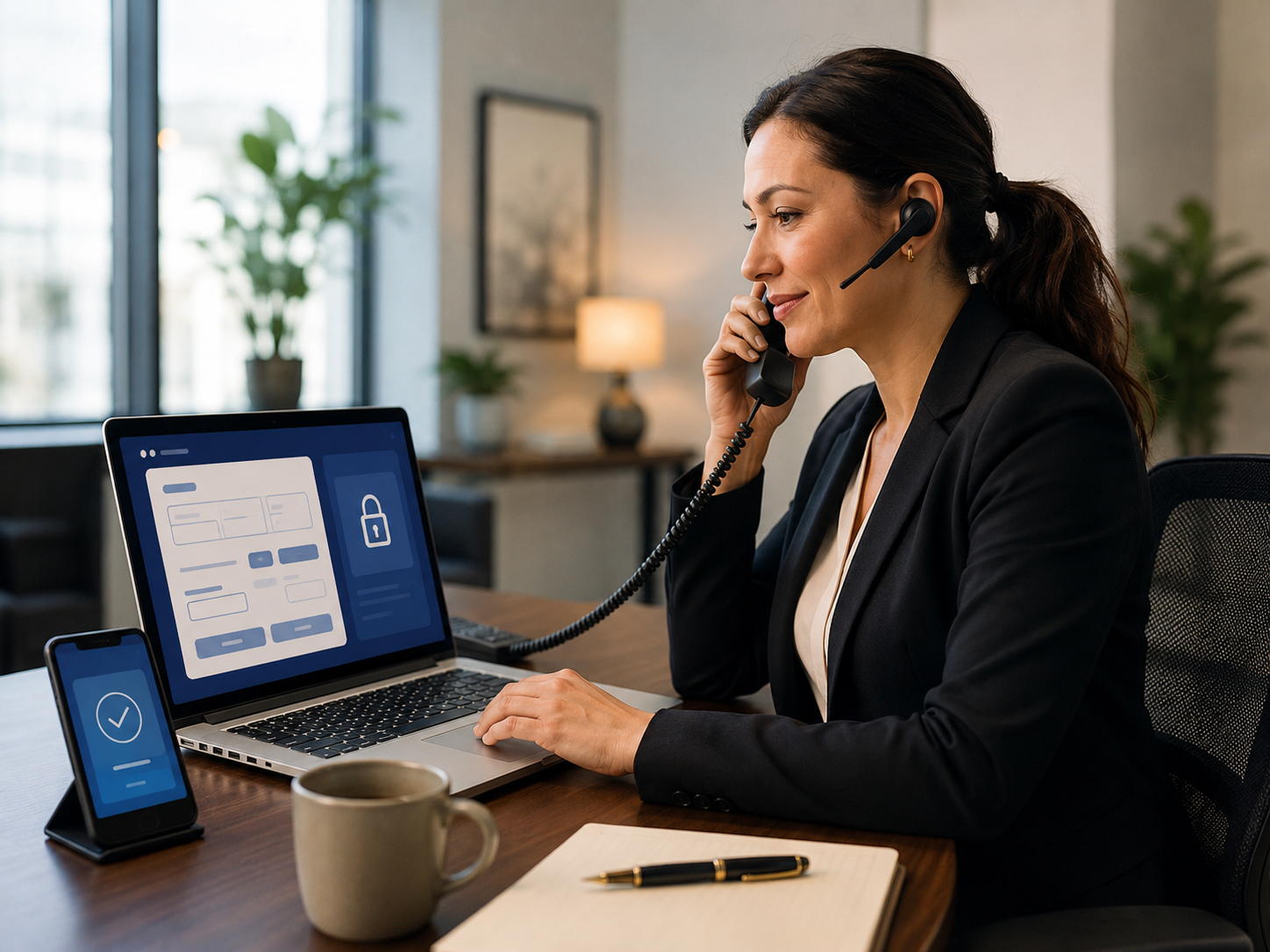
Let’s Define What “Taking Payments Over the Phone” Actually Means in 2026
Phone payments – formally called MOTO (Mail Order Telephone Order) transactions – are any card-not-present payments where the customer verbally provides their card details to a staff member, who then enters them manually into a payment system. This is distinct from an automated IVR phone payment system (where the customer presses keys to enter digits) or a payment link (where the customer self-enters their details on a hosted page).
The Four Ways Businesses Take Phone Payments in 2026
- Virtual terminal: Staff logs into a browser-based dashboard, enters the customer’s card details manually, and submits the charge. The most common method. Secure when the provider handles tokenization correctly.
- Secure payment link sent during the call: Staff generates a payment link in real time and texts or emails it to the customer while they are still on the phone. The customer self-enters their card details on a hosted PCI-compliant checkout page. The most secure option because staff never handle raw card numbers.
- IVR (Interactive Voice Response) system: The customer is transferred to an automated phone system and enters card details via phone keypad. Higher setup cost, used primarily by larger enterprises and utilities.
- POS terminal in card-not-present mode: A standard terminal can be placed in manual entry or MOTO mode. Less common but available on some countertop terminals.
For the vast majority of businesses taking occasional or regular phone orders, the virtual terminal and payment link approaches are the right solutions – no hardware, no IVR system, and no IT project required. Coastal Pay’s gateway includes both.
Here’s Why Security Matters More for Phone Payments Than In-Person Transactions
Phone (MOTO) transactions carry a different risk profile than in-person or online self-serve payments. Understanding why helps you build the right process from the start.
Why Phone Payments Are Higher Risk
- No physical card present: The merchant cannot verify the card in hand, see the cardholder’s ID, or use EMV chip authentication. This is why MOTO transactions have higher chargeback rates and higher interchange costs.
- Staff handling raw card data: When a customer reads their card number over the phone, a staff member hears it. If they write it down, type it into an unencrypted notes field, or re-read it aloud, that data is exposed in ways that no POS terminal would allow.
- Fraudster behavior: Phone channels are sometimes targeted specifically because MOTO transactions bypass the chip and NFC authentication that in-person payments require. A fraudster with a stolen card number can make phone payments with no physical card.
- PCI scope expansion: Any system that touches unencrypted cardholder data (a CRM, a spreadsheet, a call recording) expands your PCI compliance scope. Handling phone card data carelessly can pull your entire internal infrastructure into PCI audit scope.
The Two Rules That Prevent Most Phone Payment Security Problems
- Never write down, store, or transmit raw card numbers in any form – not in notes, CRM fields, emails, spreadsheets, or chat messages. Card data entered into a PCI-compliant virtual terminal is tokenized immediately and never readable by staff after submission.
- When possible, send the customer a payment link during the call so they self-enter their details directly on a hosted checkout page. This removes staff from the card data flow entirely and eliminates MOTO risk for that transaction.
What Is a Virtual Terminal and How Does It Actually Work?
A virtual terminal is a secure, browser-based payment form that allows a merchant to manually process a card transaction without a physical terminal. It runs in any standard web browser and requires no additional hardware or software installation.
How It Works Step by Step
- Staff logs into the virtual terminal dashboard (e.g., the Coastal Pay Gateway dashboard) from any browser
- Staff selects “New Transaction” or “Virtual Terminal”
- Customer reads their card number, expiry date, CVV, and billing address over the phone
- Staff enters the details into the virtual terminal form and inputs the transaction amount
- Staff submits the transaction – the data is encrypted immediately via the payment gateway’s SSL connection
- The gateway returns an authorization result (approved or declined) within seconds
- A receipt can be emailed to the customer automatically
- The transaction settles in the merchant’s bank account on the standard payout cycle
What Makes a Virtual Terminal Secure
- Card data is encrypted at the point of entry and never stored in readable form on the merchant’s server or browser
- Tokenization replaces the card number with a non-sensitive reference token for any future charges or records
- AVS (Address Verification Service) checks the billing address to flag mismatches as a fraud signal
- CVV verification confirms the customer holds the physical card
- SSL/TLS encryption protects data in transit between the browser and the payment gateway
Coastal Pay’s virtual terminal is included in every merchant account at $0 extra monthly cost. No separate virtual terminal subscription, no add-on contract, no per-user fee.
How Do Coastal Pay, Stripe, and Square Compare for Phone Payments?
| Feature | Coastal Pay Virtual Terminal | Stripe Dashboard | Square Virtual Terminal |
|---|
| Phone/MOTO rate | Flat 2.5% + $0.15 | 2.9% + $0.30 | 3.5% + $0.15 |
| Monthly virtual terminal fee | $0 (included in gateway) | $0 (via Dashboard) | $0 |
| Gateway subscription fee | $0 | $0 (add-ons extra) | $0 |
| AVS and CVV checks | Yes – included | Yes | Yes |
| Payment link option | Yes – same account | Yes | Yes |
| ACH phone billing | Yes – bundled | Separate (0.8%, cap $5) | No native ACH |
| Apple Pay / Google Pay via payment link | Yes | Yes | Limited |
| Klarna / Afterpay via payment link | Yes | Limited availability | No |
| Approval speed | ~2 minutes | ~15 minutes provisional | ~15 minutes provisional |
The Rate Difference at Real Phone Order Volumes
On a $500 phone order:
- Coastal Pay: 2.5% x $500 + $0.15 = $12.65
- Stripe: 2.9% x $500 + $0.30 = $14.80
- Square: 3.5% x $500 + $0.15 = $17.65
On 100 phone orders per month at $500 average:
- Coastal Pay: $1,265/month
- Stripe: $1,480/month – $215 more/month, $2,580/year more
- Square: $1,765/month – $500 more/month, $6,000/year more
Here’s Why Sending a Payment Link During the Call Is Even Better Than a Virtual Terminal
The safest way to handle a phone payment is to remove your staff from the card data flow entirely. Coastal Pay’s payment link feature makes this a 30-second step during any call.
How the Payment Link Method Works
- Customer calls to place an order or pay an invoice
- Staff confirms the order, total amount, and customer email or mobile number
- Staff opens the Coastal Pay Gateway, creates a payment link for the confirmed amount in 30 seconds
- Staff texts or emails the payment link to the customer while they are still on the phone
- The customer clicks the link and self-enters their card, Apple Pay, Google Pay, Venmo, or ACH details on the Coastal Pay-hosted checkout page
- Staff receives an instant notification that payment is complete
- The transaction settles into the merchant’s account on the standard cycle
Why This Is More Secure Than Virtual Terminal Entry
- Staff never hears or enters raw card numbers – zero MOTO exposure
- The customer’s card details are encrypted at the customer’s device, not at the staff’s browser
- The customer self-authenticates with their bank via 3DS2 when applicable
- PCI scope for the merchant is reduced because staff never handle card data
- The customer can use Apple Pay or Google Pay via the link, applying biometric authentication at their device
When to Use Virtual Terminal vs Payment Link
- Use virtual terminal: Customer does not have access to email or text during the call; high-urgency transaction where waiting for a link click is impractical; customer specifically prefers not to interact with a link
- Use payment link: Any situation where the customer has a phone or email accessible – this should be the default approach for most businesses
What You Need to Know About PCI Compliance for Phone Payments
PCI DSS (Payment Card Industry Data Security Standard) applies to any business that handles cardholder data. Phone payments trigger specific PCI considerations that in-person card-present transactions do not.
PCI SAQ Type for Phone Payments
Businesses that take phone payments via virtual terminal typically complete a PCI SAQ C-VT (Self-Assessment Questionnaire for Virtual Terminal) or SAQ A-EP depending on their setup. This is a simpler questionnaire than the full SAQ D required for businesses storing card data. Key requirements include:
- Using a PCI-compliant virtual terminal from a certified provider (Coastal Pay is PCI-certified)
- Not storing, processing, or transmitting cardholder data on systems outside the virtual terminal
- Using unique user accounts per staff member with strong password policies
- Ensuring the computer used for virtual terminal access is free of malware and keyloggers
- Not recording phone calls in a way that captures audible card number recitation (if call recording is used, the card entry portion must be muted or post-processed)
Call Recording and Card Data
This is a specific compliance risk most businesses overlook: if your phone system records calls and a customer reads their card number aloud, that recording now contains cardholder data and falls under PCI scope. Options to manage this: pause recording during the card entry portion of the call, use the payment link method instead (customer enters details on their device, no audible card number), or ensure your call recording system automatically mutes/masks card-related segments.
Coastal Pay PCI Compliance Support
Coastal Pay sends all new merchants a PCI compliance survey invitation via email after account approval. Support is available at 888-266-1715 or via Helpdesk ticket to help merchants complete the appropriate SAQ questionnaire for their specific transaction mix.
Here’s How to Set Up Phone Payment Capability With Coastal Pay in Under an Hour
Step 1: Apply and Get Approved
Complete the Coastal Pay instant boarding application at coastalpay.com. Most standard-risk U.S. businesses are approved in approximately 2 minutes. Have your business name, EIN or SSN, and business bank account ready before starting.
Step 2: Access the Virtual Terminal
Log into the Coastal Pay Gateway dashboard. Navigate to the Virtual Terminal section. You will see a simple form: transaction amount, card number, expiry, CVV, and billing details. No additional software or plugins needed – works in any modern browser on any device.
Step 3: Enable Payment Links for the Safer Alternative
In the Coastal Pay Gateway, navigate to Payment Links. Create a reusable link for common transaction amounts (e.g., “Custom Amount – enter at checkout”), or a fixed-amount link for specific products or services. Share via text or email during phone calls for maximum security.
Step 4: Turn on ACH for Large Phone Orders
Navigate to Alternative Payment Methods in the Coastal Pay Gateway. Enable ACH. For high-ticket phone orders – $1,000 and above – offering ACH via a payment link dramatically reduces your processing cost. A $5,000 order via ACH costs approximately $0.50 to $1.50 instead of $125.15 on a card.
Step 5: Brief Your Staff on the Two-Path Process
Train staff on the decision flow: Default to sending a payment link during the call. Use the virtual terminal only when a link is not practical. Never write down, photograph, or store raw card numbers anywhere outside the virtual terminal submission form. Review once per quarter.
Step 6: Complete PCI Compliance Survey
Watch for the PCI compliance email from Coastal Pay after account approval, or submit a Helpdesk ticket requesting PCI survey assistance. Annual completion keeps your account in good standing and confirms your phone payment process meets PCI requirements.
Which Business Types Benefit Most From Coastal Pay’s Phone Payment Tools?
Service Businesses (Legal, Consulting, Home Services)
Attorneys, consultants, contractors, and home service providers regularly collect payment by phone for invoices or retainers. Coastal Pay payment links enable secure, self-serve payment during or after a phone consultation, with Klarna and Afterpay available for larger retainers. ACH reduces fees on high-ticket invoices.
Travel Agencies and Tour Operators
High-ticket bookings collected by phone, with deposits and balances collected separately. Coastal Pay’s payment links handle the two-charge travel flow (deposit link, balance link) securely. Card-on-file tokenization allows the balance to be charged later without re-entering card details per trip.
Healthcare and Medical Practices
Patient billing by phone for co-pays, balances, and deposits. Coastal Pay’s payment links allow front desk staff to text a secure payment page to patients during a call or after an appointment, eliminating the need to read card numbers over the phone. ACH available for large balances.
Auto Dealers and Service Centers
Service advisors collecting repair order deposits and final payments by phone from customers who dropped off vehicles. Payment links sent via text allow customers to pay from their phone without returning to the dealership in person.
B2B Wholesale and Distribution
Account receivable teams collecting invoice payments by phone from business customers. Coastal Pay’s virtual terminal handles card payments. ACH via payment link handles large invoice amounts at near-zero processing cost. Email invoicing with “Pay Now” buttons reduces the need for phone collection entirely over time.
Frequently Asked Questions
- What is the best way to take payments over the phone securely?
- The most secure and practical way is through a virtual terminal or, even better, a secure payment link sent to the customer during the call so they self-enter their card details. Leading options include Coastal Pay (flat 2.5% + $0.15, $0 gateway fee, instant approval, payment links and virtual terminal both included), Stripe (2.9% + $0.30 via Dashboard), and Square (3.5% + $0.15 via Square Virtual Terminal). For an even more secure alternative, Coastal Pay payment links eliminate MOTO exposure entirely by having the customer enter their own details on a PCI-compliant hosted page.
- Is it safe to take credit card payments over the phone?
- Yes, when done correctly. Use a PCI-compliant virtual terminal that tokenizes card data immediately. Never write down, store, or email raw card numbers. Use AVS and CVV checks on all MOTO transactions. Ideally, send customers a secure payment link during the call so staff never handle raw card data. Coastal Pay provides both virtual terminal and secure payment links in the same merchant account.
- How much does it cost to accept card payments over the phone?
- MOTO (phone) transactions are card-not-present and priced accordingly. Coastal Pay: flat 2.5% + $0.15 (virtual terminal included at $0/month). Stripe: 2.9% + $0.30 for manually keyed transactions. Square Virtual Terminal: 3.5% + $0.15 per keyed transaction. On a $500 phone order, Coastal Pay costs $12.65 vs Stripe’s $14.80 vs Square’s $17.65. Annual savings vs Square at 100 phone orders/month at $500 average: approximately $6,000.
- What is a virtual terminal and do I need one to take phone payments?
- A virtual terminal is a secure, browser-based interface that allows a merchant to manually enter a customer’s card information received over the phone. Card data is encrypted and tokenized immediately – the raw number never touches your server. Coastal Pay includes a virtual terminal in every merchant account at $0 extra monthly cost. No separate hardware, software, or additional agreements needed.