
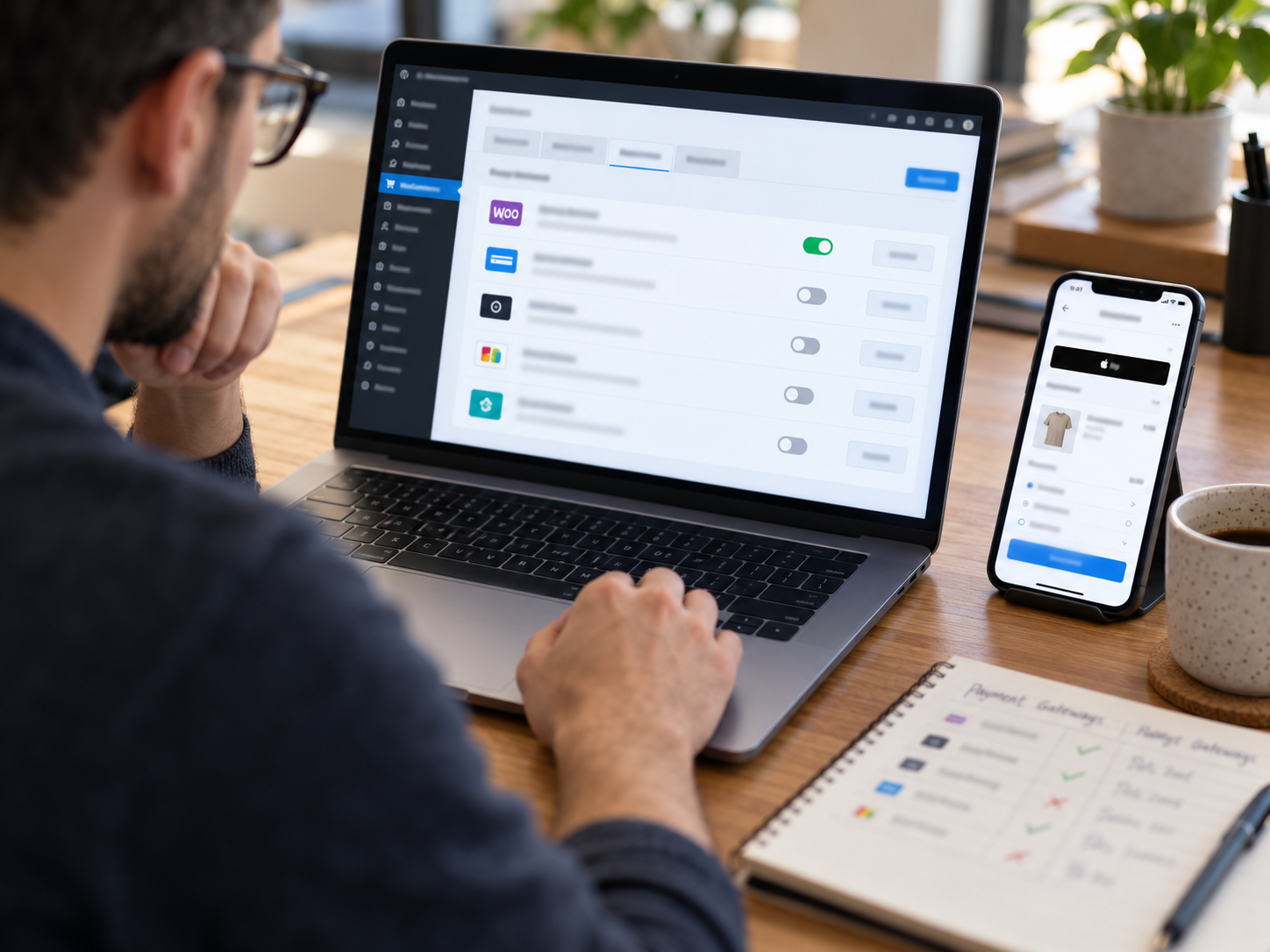
Best WooCommerce Payment Gateways in 2026: Stripe, PayPal, Square & Coastal Pay Compared
WooCommerce gives store owners genuine freedom to choose their payment gateway - unlike hosted platforms that lock you into proprietary payment systems. That freedom is only valuable if you know which gateway to choose and why. In this 2026 comparison we evaluate Stripe, PayPal, Square, and Coastal Pay across every dimension that matters for WooCommerce stores: all-in processing cost, plugin quality, Apple Pay and Google Pay support, BNPL availability, ACH, account stability, and annual cost at three realistic WooCommerce store volumes. Every number in this guide is calculated, not quoted - so you see what you would actually pay, not what a pricing page says.
Share
Let’s Define What Makes a WooCommerce Payment Gateway Genuinely “Best”
WooCommerce is the world’s most widely deployed e-commerce platform, powering an estimated 29% of all online stores globally. Because WooCommerce is open-source and plugin-based, store owners are not locked into a single payment provider by the platform – they can connect any gateway with a compatible plugin. This creates genuine competitive pressure that benefits store owners. But “best” means different things for different stores.
The Eight Criteria That Define WooCommerce Gateway Quality
- All-in processing cost: Total monthly cost including processing rate, per-transaction fee, monthly gateway subscription, statement fee, and batch fee. The headline rate and the effective rate are often different numbers.
- Plugin quality and maintenance: Is the WooCommerce plugin actively maintained with regular compatibility updates for current WooCommerce and WordPress versions? Plugin incompatibility is the most common source of WooCommerce checkout failures.
- Apple Pay and Google Pay at checkout: Wallet payment buttons that render automatically for mobile customers. Over 60% of WooCommerce traffic is mobile – this is the highest-ROI checkout feature for most stores.
- BNPL support: Klarna and Afterpay at checkout increase average order value for stores with products above $75. Available in one plugin without separate BNPL agreements is the key differentiator.
- ACH bank transfer: For WooCommerce stores with B2B customers or high average order values, ACH dramatically reduces processing cost per transaction versus card.
- Account type and stability: PayFac sub-accounts (Stripe, Square, PayPal) carry higher fund hold risk at higher volumes than true merchant accounts. Account stability becomes more material as WooCommerce volume grows.
- Developer and API quality: For stores with custom checkout flows, subscriptions, or multi-channel integrations, API quality and developer ecosystem breadth matter significantly.
- Support quality: When a WooCommerce checkout breaks – and it will, at some point – can you reach a real person with technical payment knowledge quickly?
Why Mobile Checkout Is the Gateway Decision Point Most WooCommerce Owners Miss
More than 60% of WooCommerce traffic arrives on mobile devices. On a phone screen, the payment step is the most laborious part of checkout:
- Card entry on mobile: 45 to 90 seconds – type 16-digit card number, expiry, CVV, billing address on a phone keyboard, often with autocorrect interruptions and typos requiring correction
- Apple Pay on mobile WooCommerce: 3 to 5 seconds – tap Apple Pay button, Face ID authenticates, payment complete
- Google Pay on mobile WooCommerce: 3 to 5 seconds – same one-tap experience on Android
The difference between a gateway that auto-renders Apple Pay at the top of the payment section and one that forces every mobile customer through a card entry form is a measurable checkout abandonment gap. This gap exists regardless of how well-designed your theme is or how optimized your product pages are. The payment step is the last step – and the one where mobile customers are most likely to abandon if it creates friction.
BNPL: The Average Order Value Driver Most WooCommerce Stores Leave Uncaptured
Buy-now-pay-later options at WooCommerce checkout are directly correlated with average order value increases for stores with products above $75. A customer who hesitates at a $180 total often completes the purchase when they see “4 payments of $45 with Afterpay” – because their mental calculation shifts from “$180 today” to “$45 today.” The merchant receives the full $180 immediately. The BNPL provider manages the customer’s installment relationship. The merchant’s only obligation is to offer the option – and the best WooCommerce gateways offer it within the same plugin at no extra monthly fee.
Here’s How Each Gateway Performs for WooCommerce Stores in 2026
Coastal Pay for WooCommerce
Coastal Pay’s WooCommerce plugin installs from the WordPress plugin directory, configures in the WooCommerce payment settings with API credentials from the Coastal Pay Gateway dashboard, and enables every supported payment method through a single plugin. No separate plugin per payment method. No separate monthly platform fee for BNPL. No separate ACH agreement. One plugin, one account, every method, one flat rate.
- Online card rate: Flat 2.5% + $0.15 (all channels, all payment methods, no premium for online vs in-person)
- Monthly gateway fee: $0
- Statement fee: $0
- Batch fee: $0
- Apple Pay: Yes – auto-renders at WooCommerce checkout on Safari/iPhone/Mac with card in Apple Wallet
- Google Pay: Yes – auto-renders on Chrome/Android with saved Google payment method
- Klarna (Pay in 4, Pay in 30, financing): Yes – included, toggle on in plugin settings
- Afterpay (Pay in 4 installments): Yes – included, toggle on in plugin settings
- Venmo: Yes – included
- PayPal balance: Yes – available at checkout
- ACH bank transfer: Bundled – flat per-item rate in the same merchant account
- Coinbase crypto: Yes – available via account configuration
- Account type: True merchant account backed by 13 acquiring bank relationships – not a PayFac sub-account
- Dual pricing (all 50 states): Yes – gateway-level deployment, deploys to all connected payment surfaces simultaneously
- Plugin setup time for non-developer: 30 to 60 minutes
- Approval speed: Approximately 2 minutes for most standard-risk U.S. businesses
- Support: Direct phone line 888-266-1715, helpdesk ticket system
- POS integrations beyond WooCommerce: 2,000+ via the Coastal Pay integration directory
Best for: WooCommerce stores at any volume that want the lowest flat all-in rate, the broadest payment method suite in one plugin, dual pricing capability, processor-agnostic flexibility, and a true merchant account for account stability as volume grows. Particularly strong for stores that sell both online via WooCommerce and in-person via any processor-agnostic POS – the same flat 2.5% + $0.15 rate applies to all channels.
The Coastal Pay WooCommerce advantage in one sentence: The same plugin that adds Apple Pay, Google Pay, Klarna, Afterpay, Venmo, and ACH to your WooCommerce checkout also gives you the lowest flat rate, no monthly fee, and a dual pricing option that can reduce your effective processing cost to near zero – in under 60 minutes of setup.
Stripe for WooCommerce
Stripe’s WooCommerce plugin (“WooCommerce Stripe Payment Gateway”) is the most widely used third-party gateway plugin in the WooCommerce ecosystem. It is actively maintained, well-documented, and integrates seamlessly with Stripe’s full product suite including Stripe Billing (for subscriptions), Stripe Radar (for AI-based fraud management), and Stripe Connect (for marketplace payment flows). For developer-run WooCommerce stores with complex payment requirements, Stripe remains the most feature-complete option available.
- Online card rate: 2.9% + $0.30
- Monthly gateway fee: $0 (standard plan; some advanced features cost extra)
- Apple Pay / Google Pay: Yes – renders at checkout on compatible devices
- Klarna: Yes – requires configuration in Stripe dashboard
- Afterpay: Yes – available
- ACH: 0.8% capped $5 per transaction (separate from card rate)
- Venmo: Limited availability through Stripe
- Account type: PayFac sub-account – automated risk management with fund hold risk at higher volumes
- Dual pricing: No native dual pricing program
- Developer API quality: Best in class – the most comprehensive developer ecosystem in this comparison
- Stripe Billing: Full-featured subscription billing – the best option for complex metered billing, usage-based pricing, or multi-tier subscription plans
- Stripe Radar: AI-based fraud detection included at standard tier; Radar for Fraud Teams is available at extra cost
Best for: Developer-built WooCommerce stores with complex subscription logic (especially metered billing or usage-based pricing), marketplace requirements (Stripe Connect), or development teams deeply invested in the Stripe ecosystem who value API quality above rate optimization. Stripe Billing is the most feature-complete subscription billing product available and may justify the rate premium for subscription-heavy WooCommerce stores where the subscription feature set is not easily replicated.
Trade-off: 2.9% + $0.30 is the highest rate in this comparison. The $0.30 per-transaction fee is twice Coastal Pay’s $0.15 – at 1,000 transactions/month, that difference alone is $150/month. PayFac account hold risk increases meaningfully as WooCommerce volume grows – documented fund holds and account restrictions are more common with PayFac platforms at higher volumes. No dual pricing program limits cost-shifting options as the business scales.
PayPal for WooCommerce
PayPal’s WooCommerce integration comes in multiple forms (PayPal Standard, PayPal Commerce Platform, PayPal Checkout). Its primary value for WooCommerce stores is checkout conversion for customers who prefer to pay from their PayPal balance – a significant and loyal portion of the U.S. and global e-commerce customer base, particularly in consumer goods, marketplace, and fashion categories. PayPal’s brand recognition at checkout is unmatched, and stores that add PayPal as a payment option document meaningful conversion lifts in customer segments with strong PayPal adoption.
- Online card rate: 2.99% + $0.49
- Monthly gateway fee: $0
- Apple Pay / Google Pay: Limited – PayPal’s checkout primarily routes through PayPal balance or card-on-file within PayPal, rather than native Apple Pay / Google Pay web integration
- BNPL: PayPal Pay Later (proprietary – not Klarna or Afterpay)
- ACH: Not available through standard WooCommerce checkout
- Account type: PayPal account (well-documented 180-day fund hold policy on account restriction)
- Dual pricing: No
Best for: WooCommerce stores where a meaningful portion of the customer base has PayPal accounts and the PayPal checkout button measurably increases conversion. Most effectively deployed as a secondary payment option alongside a lower-rate primary processor like Coastal Pay – capturing the PayPal conversion lift without paying PayPal’s rate on all transactions.
Trade-off: The $0.49 per-transaction fee is the highest in this comparison by a wide margin – at 1,000 transactions/month, $0.49 per transaction produces $490 in per-transaction fees alone versus $150 for Coastal Pay. The 180-day fund hold policy is a material operational risk for higher-volume WooCommerce stores. No ACH support limits B2B payment options. No native Apple Pay / Google Pay integration means mobile wallet checkout at WooCommerce requires a different gateway.
Square for WooCommerce
Square’s WooCommerce plugin provides inventory, order, and customer synchronization between WooCommerce (online) and Square POS (in-store). Its primary strength for WooCommerce is omnichannel inventory management: a retailer who uses Square as their in-store POS and WooCommerce as their online store can manage a unified product catalog, inventory count, customer profile, and reporting across both channels through the Square-WooCommerce sync. This operational value justifies Square for a specific profile of WooCommerce merchant – one where unified inventory is genuinely critical and the rate premium is a worthwhile trade-off.
- Online card rate: 2.9% + $0.30
- Monthly gateway fee: $0 (basic Square account; Square for Retail Plus $60/month per location adds features)
- Apple Pay / Google Pay: Yes – renders at WooCommerce checkout
- BNPL: Afterpay only (Square acquired Afterpay in 2022; Klarna is not available)
- ACH: Not native to WooCommerce checkout through Square’s gateway
- Account type: PayFac sub-account – same account stability limitations as Stripe
- Primary value add: Unified inventory, order management, and customer profiles between WooCommerce and Square POS
- Dual pricing: Limited surcharging capability; no full dual pricing program
- Hardware: Square-proprietary hardware that cannot be reprogrammed for a different processor
Best for: WooCommerce stores that already run Square as their physical POS and want unified inventory management without managing separate systems. The rate difference versus Coastal Pay ($0 for Square vs $0 monthly, but higher per-transaction rate) needs to be weighed against the genuine operational value of Square’s inventory sync.
Trade-off: Same per-transaction rate as Stripe (2.9% + $0.30) at the same higher cost versus Coastal Pay. Hardware lock-in at physical locations. Afterpay only for BNPL (no Klarna). If unified inventory is not a critical requirement, the rate premium versus Coastal Pay is difficult to justify.
Here’s the Full Feature Comparison Table
| Feature | Coastal Pay | Stripe | PayPal | Square |
|---|---|---|---|---|
| Online card rate | 2.5% + $0.15 | 2.9% + $0.30 | 2.99% + $0.49 | 2.9% + $0.30 |
| Monthly gateway fee | $0 | $0 | $0 | $0 (standard) / $60/location (Retail Plus) |
| Statement / batch fee | $0 | $0 | $0 | $0 |
| Apple Pay auto-renders | Yes | Yes | Limited | Yes |
| Google Pay auto-renders | Yes | Yes | Limited | Yes |
| Klarna at checkout | Yes – same plugin | Yes (config required) | No | No |
| Afterpay at checkout | Yes – same plugin | Yes | No | Yes |
| Venmo at checkout | Yes | Limited | Yes | No |
| ACH bank transfer | Bundled – flat per-item | 0.8% capped $5 | No | Not native |
| Crypto (Coinbase) | Yes | No | Limited | No |
| Dual pricing (all 50 states) | Yes | No | No | No |
| Account type | True merchant account (13 banks) | PayFac sub-account | PayPal account (180-day hold risk) | PayFac sub-account |
| Recurring billing platform fee | $0 | $0 basic; % of MRR for advanced | $0 | $0 |
| Developer API quality | Good | Best in class | Good | Good |
| Omnichannel POS inventory sync | Via 2,000+ integrations | Stripe Terminal (limited sync) | Limited | Strong – Square POS |
| Approval speed | ~2 minutes | ~15 min provisional | ~10 min | ~15 min provisional |
| Human phone support | Yes – 888-266-1715 | Limited hours | Yes | Yes |
| POS integrations | 2,000+ | Stripe ecosystem | Limited | Square ecosystem |
Here’s the Annual Cost at Three Real WooCommerce Store Volumes
Every figure below includes all fees: processing percentage, per-transaction flat fee, and any monthly subscription. Authorize.Net is included in the footnotes because its $25/month gateway fee and $0.10 per-transaction gateway surcharge make a meaningful difference to its total cost versus the stated processing rate.
Small WooCommerce Store: $20,000/Month, 400 Orders, $50 Average Order Value
- Coastal Pay (2.5% + $0.15, $0 monthly): (0.025 x $20,000) + ($0.15 x 400) = $500 + $60 = $560/month – $6,720/year
- Stripe (2.9% + $0.30, $0 monthly): $580 + $120 = $700/month – $8,400/year
- PayPal (2.99% + $0.49, $0 monthly): $598 + $196 = $794/month – $9,528/year
- Square (2.9% + $0.30, $0 monthly): $580 + $120 = $700/month – $8,400/year
- Authorize.Net (example: 2.6% + $0.10 processing + $25 gateway + $0.10/tx gateway surcharge): $520 + $40 + $25 + $40 = $625/month – $7,500/year
Annual savings Coastal Pay vs Stripe: $1,680 | vs PayPal: $2,808 | vs Authorize.Net: $780
Growing WooCommerce Store: $50,000/Month, 1,000 Orders, $50 AOV
- Coastal Pay: $1,250 + $150 + $0 = $1,400/month – $16,800/year
- Stripe: $1,450 + $300 + $0 = $1,750/month – $21,000/year
- PayPal: $1,495 + $490 + $0 = $1,985/month – $23,820/year
- Square: $1,450 + $300 + $0 = $1,750/month – $21,000/year
- Authorize.Net: $1,300 + $100 + $25 + $100 = $1,525/month – $18,300/year
Annual savings Coastal Pay vs Stripe: $4,200 | vs PayPal: $7,020 | vs Square: $4,200
Established WooCommerce Store: $100,000/Month, 2,000 Orders, $50 AOV
- Coastal Pay: $2,500 + $300 + $0 = $2,800/month – $33,600/year
- Stripe: $2,900 + $600 + $0 = $3,500/month – $42,000/year
- PayPal: $2,990 + $980 + $0 = $3,970/month – $47,640/year
- Square: $2,900 + $600 + $0 = $3,500/month – $42,000/year
- Authorize.Net: $2,600 + $200 + $25 + $200 = $3,025/month – $36,300/year
Annual savings Coastal Pay vs Stripe: $8,400 | vs PayPal: $14,040 | vs Square: $8,400
At $100,000/month on WooCommerce, switching from Stripe or Square to Coastal Pay saves $8,400/year. Switching from PayPal saves $14,040/year. Both switches require only a 30 to 60 minute plugin swap – no store rebuild, no product catalog changes, no customer disruption. The savings begin on the first transaction after the switch and compound every month going forward.
How Average Order Value Changes the Comparison
The per-transaction fee ($0.15 for Coastal Pay vs $0.30 for Stripe vs $0.49 for PayPal) has less proportional impact at high average order values and more impact at lower average order values. For a WooCommerce store with a $200 average order value at $100,000/month (500 orders):
- Coastal Pay: $2,500 + $75 = $2,575/month – $30,900/year
- Stripe: $2,900 + $150 = $3,050/month – $36,600/year
- PayPal: $2,990 + $245 = $3,235/month – $38,820/year
- Annual savings Coastal Pay vs Stripe at $200 AOV: $5,700
- Annual savings Coastal Pay vs PayPal at $200 AOV: $7,920
At higher average order values, the percentage-point advantage of 2.5% vs 2.9% drives more of the savings than the per-transaction difference – because the percentage compounds on every dollar of order value.
What About Authorize.Net and Helcim for WooCommerce?
Authorize.Net
Authorize.Net is a legacy standalone gateway owned by Visa with a long WooCommerce integration history. Its key distinction is that it is a gateway only – it connects to a separate acquiring processor the merchant arranges independently. This creates flexibility in processor choice but requires managing two vendor relationships and adds the gateway’s own monthly fee ($25/month) and per-transaction gateway surcharge ($0.10 per transaction) on top of whatever the acquiring processor charges.
At $50,000/month with 1,000 transactions, Authorize.Net’s gateway fee and surcharge alone add $125/month – $1,500/year – before the processing rate is counted. The full Authorize.Net cost at $50,000/month typically reaches $1,500 to $1,800/month depending on the acquiring processor behind it. Best for: established stores with existing Authorize.Net integrations that have invested in deep platform customization and want to keep the gateway while potentially switching the acquiring processor. Not recommended as a first choice for new WooCommerce stores given the fee complexity.
Helcim
Helcim offers interchange-plus pricing with $0 monthly fee and a volume-based markup tier that decreases as WooCommerce volume grows. The interchange-plus model is the most cost-transparent option available – you pay the actual interchange rate for each card type plus a defined Helcim markup. When the WooCommerce store’s card mix is heavily weighted toward consumer debit and standard credit (low interchange), Helcim can produce a lower effective rate than Coastal Pay’s flat 2.5% + $0.15. When the card mix includes significant rewards, corporate, or premium credit cards (high interchange), Coastal Pay’s flat rate often beats or matches interchange-plus.
The trade-off: variable monthly cost that requires statement analysis every month to understand whether card mix shifts have changed the effective rate. Coastal Pay’s flat 2.5% + $0.15 is the same every month regardless of card mix, making it easier to forecast and explain to finance teams. For merchants who want the transparency of interchange-plus and have a favorable card mix, Helcim is a genuine alternative worth evaluating.
How to Connect Coastal Pay to WooCommerce in 30 to 60 Minutes
Step 1: Get Your Coastal Pay Merchant Account (2 Minutes)
Visit coastalpay.com/contact-us or call 888-266-1715. Most standard-risk U.S. e-commerce businesses are approved in approximately 2 minutes. Upon approval, log into the Coastal Pay Gateway dashboard. Navigate to API Settings and copy your API key and merchant ID – you will need both for the WooCommerce plugin configuration step.
Step 2: Install the Coastal Pay WooCommerce Plugin
In your WordPress admin panel, navigate to Plugins – Add New. Type “Coastal Pay” in the plugin search field. When the Coastal Pay WooCommerce plugin appears, click Install Now and then Activate. The plugin appears in WooCommerce Settings – Payments after activation. If you have difficulty locating the plugin in the WordPress directory, call 888-266-1715 for the direct plugin file and manual installation guidance.
Step 3: Configure API Credentials and Enable Payment Methods
Navigate to WooCommerce – Settings – Payments. Click Manage (or the gateway name) next to Coastal Pay to open the plugin configuration panel. Enter your API key and merchant ID from your Coastal Pay Gateway dashboard. The plugin settings panel shows a list of available payment methods. Enable each method you want to offer at WooCommerce checkout: cards (enabled by default), Apple Pay, Google Pay, Klarna, Afterpay, Venmo, ACH bank transfer. Save settings. Set the plugin mode to Test for initial testing.
Step 4: Test Every Payment Method in Sandbox Mode
Open your WooCommerce store in a private browser window. Add a product to the cart and proceed to checkout. At the payment step, verify:
- On an iPhone in Safari: Apple Pay button appears at the top of the payment section
- On Android in Chrome: Google Pay button appears at the top of the payment section
- Card entry form renders correctly and accepts test card numbers
- Klarna and Afterpay options appear for orders above your configured minimum amount
- A test transaction completes successfully and appears in both WooCommerce orders and the Coastal Pay Gateway dashboard
- Order confirmation email delivers to the test email address entered at checkout
- A test decline with a decline test card number shows an appropriate error message without losing cart contents
Step 5: Switch to Live Mode and Place a Verification Transaction
Return to the Coastal Pay plugin settings in WooCommerce and switch the mode from Test to Live. Save settings. Place a real $1.00 transaction using your own card to confirm the production payment flow – authorization, settlement routing, receipt delivery, and dashboard reporting. Monitor for 24 to 48 hours before disabling the previous gateway plugin.
Step 6: Configure Dual Pricing (Optional – Highest-Impact Additional Step)
Once your Coastal Pay WooCommerce integration is live and verified, contact 888-266-1715 to configure dual pricing. Dual pricing displays a card price and a lower ACH price at checkout. When customers choose ACH, your processing cost drops from 2.5% + $0.15 per transaction to approximately $0.50 to $1.50 flat regardless of order size. A WooCommerce store at $50,000/month with 30% ACH adoption saves approximately $8,000 to $10,000/year compared to card-only processing. Legal in all 50 states. Gateway-level deployment – no changes required to WooCommerce product prices.
Which WooCommerce Gateway Is Right for Your Store Profile?
- New WooCommerce store starting from scratch: Coastal Pay – instant 2-minute approval, all payment methods from day one, no monthly fee, free plugin setup support at 888-266-1715
- Growing WooCommerce store above $20,000/month currently on Stripe or PayPal: Switch to Coastal Pay – $1,680 to $14,040/year in annual savings depending on current processor and volume, with a 30 to 60 minute plugin swap
- WooCommerce store with high PayPal customer adoption: Use PayPal as a secondary payment option alongside Coastal Pay as the primary gateway – capturing PayPal’s checkout conversion lift for PayPal customers while paying the lower Coastal Pay rate on all non-PayPal transactions
- Developer-built WooCommerce store with complex metered subscription billing or marketplace requirements: Stripe if those specific Stripe features are genuinely required; Coastal Pay if standard fixed-cycle subscription billing at a lower rate is sufficient
- Omnichannel WooCommerce + Square POS retailer: Evaluate whether the Square inventory sync value justifies the rate premium at your current volume; if Coastal Pay’s 2,000+ integrations cover your specific POS, the switch produces meaningful annual savings
- B2B WooCommerce store with average order values above $200: Coastal Pay with ACH enabled – ACH flat per-item rate saves dramatically versus any card rate at high order values
- WooCommerce store wanting to reduce effective processing cost to near zero: Coastal Pay with dual pricing – the only gateway in this comparison offering a full gateway-level dual pricing program in all 50 states
Explore Coastal Pay’s WooCommerce integration and 2,000+ compatible platforms, all supported payment methods, dual pricing for WooCommerce, transparent flat-rate pricing, and gateway features and API documentation.
Get Approved in 2 Minutes and Connect Coastal Pay to Your WooCommerce Store
Frequently Asked Questions
- What is the best payment gateway for WooCommerce?
- For the lowest flat all-in rate with no monthly gateway fee, broadest payment method suite (Apple Pay, Google Pay, Klarna, Afterpay, Venmo, ACH, Coinbase in one plugin), dual pricing in all 50 states, and true merchant account stability: Coastal Pay at flat 2.5% + $0.15. For best developer API and complex subscription billing: Stripe. For PayPal customer base conversion: PayPal as a secondary option. For Square POS inventory sync: Square. At $50,000/month Coastal Pay saves $4,200/year vs Stripe, $7,020/year vs PayPal.
- Does Coastal Pay have a WooCommerce plugin?
- Yes. Coastal Pay’s WooCommerce plugin is available from the WordPress plugin directory. Install, enter API credentials in WooCommerce Settings – Payments, enable your preferred payment methods, and test. Most WooCommerce stores are live with Coastal Pay within 30 to 60 minutes. Call 888-266-1715 for free setup support.
- What is the cheapest WooCommerce payment gateway?
- Coastal Pay at flat 2.5% + $0.15 with $0 monthly gateway fee is the lowest all-in cost at $20,000+/month. At $100,000/month with 2,000 orders: $33,600/year vs Stripe’s $42,000 ($8,400 savings) and PayPal’s $47,640 ($14,040 savings). With Coastal Pay’s dual pricing at 30%+ ACH adoption, effective processing cost drops further – the most cost-effective configuration available for any WooCommerce store.
- How do I switch from Stripe to Coastal Pay on WooCommerce?
- Install Coastal Pay plugin alongside Stripe, configure in test mode, run test transactions, set Coastal Pay as default, switch to live mode, run a $1.00 verification, deactivate Stripe after 48 hours. Your store, products, cart, and customer accounts remain completely unchanged. For recurring subscribers: keep Stripe active and migrate at renewal using Coastal Pay enrollment links. Contact 888-266-1715 for migration guidance.




How to Accept Payments Online Without a Website (6 Methods With Coastal Pay)
You do not need a website to get paid online. Whether you are a freelancer sending invoices by email, a contractor collecting deposits by text, a market vendor displaying a QR code, or a service business booking jobs over the phone, there is a payment method that works exactly for your situation – without building a website and without touching your customer’s card number directly. This guide covers six ways to collect payments online without a website using Coastal Pay, all at the same flat 2.5% + $0.15 rate with no monthly gateway fee.

How to Reduce Credit Card Processing Fees for Small Businesses (9 Proven Ways With Coastal Pay)
Credit card processing fees are one of the largest variable costs a small business pays – and unlike rent, payroll, or inventory, they scale directly with revenue. The more you earn, the more you pay. That means reducing your effective processing rate is one of the few levers that permanently improves margin on every future dollar of revenue. This guide covers nine specific, actionable ways to reduce what your small business pays in card processing fees, using Coastal Pay’s flat 2.5% + $0.15 with $0 gateway fee as the benchmark for every comparison.

Best Payment Processor for E-Commerce Stores in 2026: Stripe, PayPal, Authorize.Net, Braintree & Coastal Pay Compared
Choosing the wrong payment processor for your online store costs you money in two ways: on the rate you pay per transaction, and on the customers who abandon checkout because their preferred payment method is missing. In this 2026 comparison we look at Stripe, PayPal, Authorize.Net, Braintree, and Coastal Pay through the lens of what actually matters for e-commerce stores – checkout conversion, all-in cost, BNPL support, developer experience, and account stability at growing volumes.

How to Set Up Recurring Billing for Service Businesses (Step-by-Step With Coastal Pay)
If you run a service business – a consulting firm, a cleaning company, a lawn care operation, a coaching practice, an IT support company, a marketing agency – and you are still chasing invoices every month, recurring billing is the single operational change that will save you the most time and stabilize your cash flow. This guide covers everything you need to set up automatic recurring billing using Coastal Pay, from enrolling your first client through recovering failed payments and migrating your existing clients to ACH for lower processing costs.
