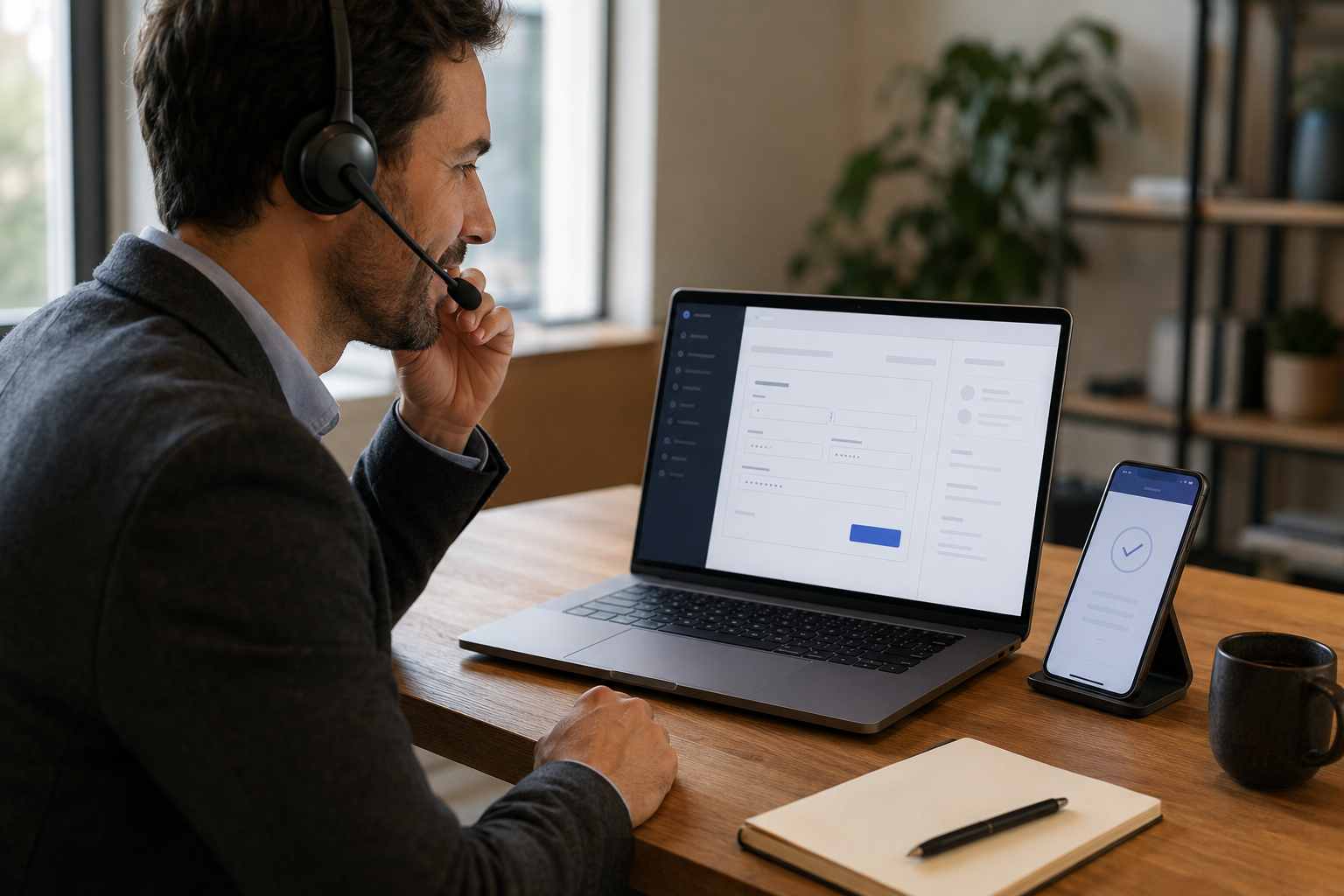
Let’s Define What “Phone Payments Without Extra Fees” Really Means
When a business owner says they want to take phone payments without extra fees, they usually mean two things: they do not want to pay a separate monthly virtual terminal subscription or gateway access charge just to key in a card, and they do not want to be hit with a MOTO (mail order / telephone order) surcharge stacked on top of their normal processing rate.
Which Fees Are Unavoidable
Every credit or debit card transaction incurs interchange fees set by Visa, Mastercard, Amex, and Discover, plus a processor margin. These apply whether a card is swiped in person, keyed by phone, or entered online. Card-not-present transactions, which include phone orders, typically carry slightly higher interchange than card-present taps because the card network assigns more risk to non-physical transactions. That difference is built into standard keyed rates and cannot be avoided by any processor.
Which Fees Are Optional
What is not unavoidable: a separate monthly gateway fee, a virtual terminal subscription, a per-call access charge, or a MOTO surcharge that is a Coastal Pay or processor add-on rather than a network cost. Many processors charge $10 to $30/month just to give merchants access to a virtual terminal. Coastal Pay does not. The Coastal Pay Gateway includes virtual terminal access, payment link creation, email invoicing, and full gateway functionality at $0/month, with no per-transaction add-on for phone or MOTO transactions.
Definition of Phone Payments
For this guide, phone payments are card-not-present transactions where the customer provides payment details verbally over a phone call. This includes: the merchant keying card data into a virtual terminal, and the customer entering their own card data on a payment link or invoice page while remaining on the call with the merchant.
Here’s Why Security and PCI Rules Matter When You Take Cards by Phone
Phone payments fall under PCI DSS (Payment Card Industry Data Security Standard) regardless of how small your business is. If you accept card payments by phone, you are required to handle cardholder data securely. Non-compliance does not typically result in immediate fines, but a data breach on a non-compliant merchant can trigger significant assessments from the card brands.
The Specific Risks in Phone Payment Workflows
- Writing card numbers on paper: Any written card number is a potential breach point. Paper can be photographed, thrown away without shredding, or seen by unauthorized staff.
- Call recordings: If your phone system records calls and a customer reads their card number and CVV during the recording, that audio is technically in-scope cardholder data and must be stored and secured accordingly.
- Shared virtual terminal logins: A single shared login means you cannot audit which employee processed which transaction or flag suspicious activity.
- Unsecured browsers or devices: Accessing a payment portal from a shared computer, a personal device without antivirus protection, or a public Wi-Fi network creates unnecessary risk.
How Coastal Pay Reduces Your PCI Scope
Coastal Pay’s virtual terminal is a Coastal Pay-hosted HTTPS form. When you key a card number into it, the data goes directly from your keyboard to Coastal Pay’s PCI-compliant servers. It does not pass through your local network, your browser storage, or any application you control. For payment links, the customer enters their card on Coastal Pay’s hosted page, so card data never reaches your environment at all. Both methods significantly reduce the scope of your PCI Self-Assessment Questionnaire. Coastal Pay’s support team at 888-266-1715 walks merchants through the appropriate SAQ for their phone payment configuration.
How Can You Key In Cards by Phone Without New Gateway or Monthly Fees?
Coastal Pay’s Gateway virtual terminal is a browser-based card entry interface included in every merchant account at $0/month. No add-on product to buy, no subscription tier to upgrade to, and no MOTO access fee.
Fee Comparison: Typical Provider vs Coastal Pay
| Fee Item | Typical Provider | Coastal Pay |
|---|
| Monthly gateway fee | $15 to $30/month | $0 |
| Virtual terminal subscription | $10 to $25/month | $0 |
| MOTO / keyed transaction surcharge | Often $0.05 to $0.15/transaction extra | $0 extra |
| Payment link creation fee | $0 to $10/month add-on | $0 |
| Card processing rate | Varies (often 2.9% to 3.5%) | Flat 2.5% + $0.15 |
Step-by-Step Virtual Terminal Workflow
- Log into the Coastal Pay Gateway from any browser at your computer or tablet. Use a dedicated staff login with your unique credentials, not a shared account.
- Navigate to Virtual Terminal in the dashboard left menu.
- Enter the transaction amount and any order reference or note for your records.
- Read the privacy disclosure to the customer (see call scripts below).
- Key in the customer’s card details: card number, expiry date, CVV, and billing ZIP code. Type directly into the Coastal Pay form. Do not write the number down first.
- Submit the transaction. An approval or decline result appears within seconds.
- Confirm verbally with the customer and offer to send an email receipt.
- The transaction appears immediately in your Coastal Pay Gateway dashboard under your payment reports alongside all other transactions.
Role-based access in Coastal Pay lets you create staff-specific logins so each team member has individual credentials. You can audit which employee processed each transaction, set transaction limits by role, and deactivate logins instantly when a staff member leaves.
Here’s How to Send a Payment Link While You’re on the Call
Sending a Coastal Pay payment link during the call is the most secure option because the customer enters their own card data. No card number ever passes through your environment, your staff’s ears, or your phone system’s recording.
The Live-Call Payment Link Flow
- Confirm the purchase amount and the customer’s email address or mobile number at the start of the call.
- Open the Coastal Pay Gateway dashboard in a browser while remaining on the call.
- Navigate to Payment Links and click “Create Link,” or navigate to Invoicing and create a new invoice.
- Enter the amount, item description, and customer email. For a payment link, you can generate a link immediately without entering customer details if you prefer to send via SMS.
- Send the link or invoice to the customer’s email or SMS while they are on the phone with you.
- Guide the customer: “You should have a link from us now. Click it and you will see a payment page. Go ahead and enter your card details there.”
- Stay on the line until the customer confirms they see a payment confirmation or until you see the payment appear as “Paid” in the Coastal Pay dashboard.
- Confirm payment verbally and wrap up the call.
Why This Method Reduces Your PCI Scope
Coastal Pay’s payment link routes the customer to a PCI-compliant hosted checkout page. The card number, expiry, and CVV are entered by the customer directly into Coastal Pay’s servers. Your staff never hears, sees, or types the card number. Your call recording does not capture it. Your local network does not transmit it. This is the closest a phone-taking business can get to full card-data separation without installing enterprise call-masking hardware.
Get Started – Enable Payment Links and Virtual Terminal
What You Need to Know About Using Dual Pricing to Wipe Out Card Costs
Coastal Pay’s dual pricing program presents customers with two prices: a standard (cash/ACH) price and a card price that includes the processing cost. When a customer chooses to pay by card, the card price they agreed to already covers the processing fee, effectively offsetting the merchant’s processing cost.
How Dual Pricing Works for Phone Orders
When taking a phone order with dual pricing enabled, the workflow changes slightly:
- Confirm the service or product total in cash/standard pricing terms.
- Inform the customer of the card price: “If you’d like to pay by card, the total will be $X, which includes the card processing fee. If you’d prefer ACH or cash, it’s $Y.”
- The customer selects their preferred payment method.
- If card, process at the card price via the virtual terminal or send a payment link configured with the dual price.
- The receipt displays both prices and the chosen method clearly.
Compliance Requirements
Dual pricing for phone orders must follow card-brand rules and state regulations. Key requirements include: clear verbal disclosure of both prices before the customer commits, display of both prices on the receipt or invoice, and not framing the card price as a “surcharge” (it is a different price for a different payment method). Coastal Pay’s team configures dual pricing in compliance with these rules and advises on state-specific considerations (surcharging is restricted in some states, while dual pricing is permitted more broadly).
The Economic Impact
For a professional services firm taking $50,000/month in phone orders via card: standard Coastal Pay flat rate = $1,250/month in processing costs. With dual pricing, those costs shift to card-paying customers. For customers who switch to ACH, you collect at the lower ACH rate (near $0 per transaction). Many merchants running dual pricing see effective processing costs drop 60% to 100% depending on how much volume shifts to ACH.
Let’s Talk About the Wrong Way to Take Card Numbers Over the Phone
Every practice below is common, inexpensive, and a genuine data security risk. If your team currently does any of these, switching to Coastal Pay’s virtual terminal or payment links eliminates the risk without requiring new hardware or software purchases.
Common Insecure Practices and Safer Alternatives
- Writing card numbers on sticky notes or paper: A written card number is a breach waiting to happen. Alternative: key directly into the Coastal Pay virtual terminal. Never write it first.
- Entering card data into a spreadsheet or CRM field: Card numbers stored in Excel, Google Sheets, or a CRM note are almost certainly not PCI-compliant storage. Alternative: never store card data outside the Coastal Pay Gateway.
- Emailing or texting card numbers to yourself for later: Email and SMS are not encrypted for cardholder data. Alternative: process immediately in the virtual terminal or send a payment link.
- Call recordings that capture the card number: If your phone system records all calls, a customer reading their card number is creating a stored cardholder data record. Alternative: pause the recording before requesting card details, then resume after. Or use the payment link method so the customer enters data themselves after the call ends the relevant segment.
- Shared logins for multiple staff: Shared credentials make audit trails useless. Alternative: use Coastal Pay’s role-based individual logins for every staff member who processes phone payments.
- Taking card details on speakerphone in an open office: Bystanders hearing a card number are a breach. Alternative: use the payment link method so the customer’s card data is never spoken aloud.
Here’s a Simple Coastal Pay Call Script You Can Use Tomorrow
Script A: Keyed Entry via Coastal Pay Virtual Terminal
“Great, I can process that card payment for you right now. Just so you know, I’m going to enter your card details directly into our secure Coastal Pay payment system. I won’t write your number down or store it anywhere else. Ready?”
[Collect card number, expiry, CVV, and billing ZIP code while typing directly into the Coastal Pay Gateway virtual terminal.]
“I’ve processed that and it’s showing approved. Would you like me to email a receipt to [email address]?”
Script B: Payment Link Sent During the Call
“Perfect. I’m going to send you a secure payment link right now to [email or phone number]. Can you let me know when you receive it?”
[Create payment link or invoice in Coastal Pay Gateway and send. Wait for customer confirmation.]
“Great. Go ahead and click the link and enter your card details there. I’ll stay on the line. The page is secure and handled by our payment processor.”
[Wait for payment confirmation in Coastal Pay dashboard.]
“I can see that’s gone through. You’re all set. A receipt should be arriving shortly.”
Staff Process Checklist
- Log in to the Coastal Pay Gateway with your individual credentials (not a shared account)
- Confirm the payment amount with the customer before initiating the transaction
- Choose Virtual Terminal (Script A) or Payment Link / Invoice (Script B)
- Read the appropriate disclosure from the script above
- Complete the transaction and confirm approval before ending the call
- Verify the transaction appears in the Coastal Pay Gateway dashboard
- Send or confirm email receipt delivery
- Never write down, email to yourself, or store any card data outside of Coastal Pay
FAQ: How Does Coastal Pay Keep Phone Payments Secure and Low-Cost?
- How do I take payments over the phone securely without paying extra fees?
- The two most practical options are: (1) Use Coastal Pay’s virtual terminal included in the merchant account at no extra monthly fee. Log in, open the virtual terminal, key in the customer’s card data directly into the secure HTTPS form, and process in real time. (2) Send a Coastal Pay payment link while the customer is still on the phone. They enter their own card details on Coastal Pay’s PCI-compliant hosted page, so the card number never passes through your environment. Both methods use Coastal Pay’s flat 2.5% + $0.15 rate with no separate virtual terminal or gateway fee.
- Can I take payments by phone without a gateway fee with Coastal Pay?
- Yes. Coastal Pay’s Gateway virtual terminal is included in the merchant account at $0/month. There is no separate virtual terminal subscription fee, no per-call access charge, and no MOTO surcharge on top of the standard flat 2.5% + $0.15 processing rate. Keyed transaction interchange may differ slightly from card-present rates due to card network rules, but no extra Coastal Pay fee is added for phone or keyed transactions.
- Does Coastal Pay help with PCI compliance for phone orders?
- Yes. Coastal Pay provides PCI compliance guidance as part of merchant onboarding. For phone orders, the virtual terminal is a Coastal Pay-hosted HTTPS form so raw card data never passes through your systems. Payment links route card entry to Coastal Pay’s PCI-compliant hosted page. Neither method requires you to store, transmit, or process raw card numbers in your own environment. Coastal Pay’s support team at 888-266-1715 can walk you through the appropriate PCI Self-Assessment Questionnaire for your phone payment workflow.
- Can I use dual pricing to eliminate phone payment processing fees with Coastal Pay?
- Yes. Coastal Pay’s dual pricing program can be applied to phone order transactions, including virtual terminal sales and payment link collections. When configured correctly, the card price presented to the customer already includes the processing cost, offsetting the fee. Customer disclosure is required verbally and on receipts. Coastal Pay’s team helps merchants configure dual pricing in compliance with card-brand rules and applicable state regulations.
Want to know what extra fees you’re currently paying for phone payments? Contact Coastal Pay at 888-266-1715 or start at coastalpay.com/get-started. Share your current processing statement and the team can identify virtual terminal and gateway fees you can eliminate by switching to Coastal Pay.