



Coastal Pay | Payment Processor, Payment Gateway & 2000+ Software Integrations

POS Systems That Make It Easy to Switch Between Surcharging and Dual Pricing (With Coastal Pay)

If you are trying to eliminate card processing fees at your store, you have two compliant options: surcharging and dual pricing. But which POS systems actually support these programs, and what happens when you want to switch between them? In this guide, we cover the compliance differences, the POS requirements, and how Coastal Pay's gateway makes it practical to configure, run, and change either program without replacing your POS hardware.

Share


Let’s Define the Difference Between Surcharging and Dual Pricing

These terms are often used interchangeably by merchants and even some processors, but they are legally and technically distinct – and the distinction matters for compliance, state law, and how the program is displayed to customers at checkout.

Surcharging: Add a Fee When the Customer Chooses Card

Surcharging is a model where the merchant posts one base price for a product or service. When the customer selects a credit card as their payment method, a fee (the surcharge) is added to the total before the customer approves the final charge. The customer sees the base price first and the surcharge second.

  • Legal in: 47 U.S. states and Washington D.C. as of 2026
  • Restricted in: Connecticut, Massachusetts, and Oklahoma by state statute
  • Applies to: Credit cards only. Visa and Mastercard rules prohibit surcharging on debit cards and prepaid debit cards. The terminal must distinguish credit from debit in real time.
  • Card brand maximum: Currently 3% surcharge maximum on Visa and Mastercard transactions
  • Required disclosures: Signage at store entrance and POS counter; surcharge amount or percentage disclosed before transaction completion; receipt must show surcharge as a separate line item

Dual Pricing: Show Both Prices Before the Customer Chooses

Dual pricing is a model where the merchant displays two prices simultaneously before the customer selects a payment method: a standard price for card payment and a lower price for cash or ACH payment. The customer sees both prices upfront and chooses their preferred method knowing the total for each option.

  • Legal in: All 50 U.S. states with proper disclosure
  • Applies to: All payment methods. Dual pricing does not have the debit card restriction that surcharging has because it is structured as a discount on cash/ACH rather than a surcharge on credit card.
  • Card brand rules: Both prices must be displayed before payment selection; required signage at store entrance and POS counter; receipt must show both prices
  • Maximum differential: Card brand rules limit the differential to 4% above the cash price

What They Share

Both programs can bring the merchant’s effective processing cost to near 0% by shifting card fees to card-paying customers. Both require compliant signage, receipt language, and POS configuration. Both are managed through the payment gateway and terminal, not through the POS software itself – which is the critical factor that makes switching between them possible without changing your POS.

Here’s What Your POS System Needs to Support Either Program

Both surcharging and dual pricing require specific technical capabilities at the terminal or POS display level. Not all POS systems support these requirements, and some proprietary ecosystems restrict them entirely.

Technical Requirements for Surcharging

  • Card type detection: The terminal must identify in real time whether the presented card is a credit card or a debit card. The surcharge applies only to credit card transactions.
  • Dynamic amount calculation: After credit card detection, the terminal must add the surcharge amount (the card brand-compliant percentage) to the base transaction amount before the customer approves.
  • Pre-approval disclosure: The customer must see the surcharge amount before tapping “approve” on the terminal.
  • Receipt line-item display: The receipt must show the surcharge as a separate labeled line item, not merged into the total.
  • Signage support: The POS setup must accommodate required disclosure signage at the entrance and counter.

Technical Requirements for Dual Pricing

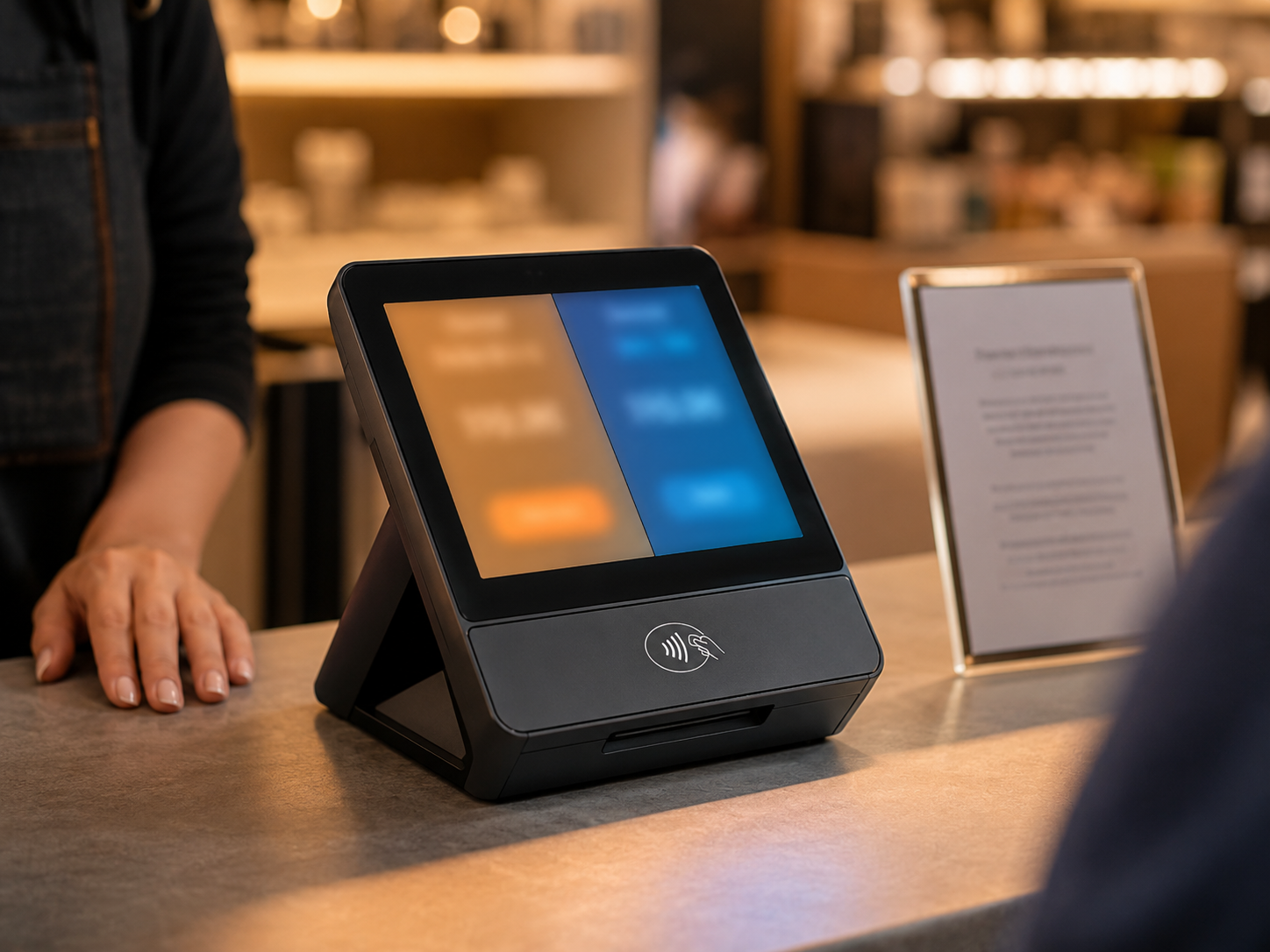
  • Two-price display before payment selection: The customer-facing terminal screen must show both the card price and the cash price before the customer selects a payment method.
  • Payment method selection triggers correct amount: When the customer selects card, the card price is charged. When the customer selects cash or ACH, the cash price is charged.
  • Receipt shows both prices: The receipt must display both the card price and the cash price with the selected payment method labeled.
  • Signage support: Same entrance and POS counter signage requirement as surcharging.

The Gateway vs POS Software Distinction

This is the crucial point: both surcharging and dual pricing are primarily configured at the payment gateway and terminal level, not within the POS software. The POS software rings up the sale at the base price. The gateway and terminal handle the credit/debit detection, dynamic pricing calculation, and dual-price display. This means that with the right gateway, a POS system that integrates with the gateway can support both programs regardless of whether the POS software was designed with surcharging or dual pricing in mind.

Coastal Pay’s gateway is configured to support both programs and can be connected to compatible POS systems through its 2,000+ integration directory without requiring POS software updates or hardware replacement in most cases.

Which POS Systems Work Well With Coastal Pay’s Surcharging and Dual Pricing Programs?

Processor-Agnostic POS Systems (Best Compatibility)

POS systems that are not locked to a proprietary processor offer the greatest flexibility for surcharging and dual pricing configuration through Coastal Pay’s gateway.

  • Lightspeed Retail and Restaurant: Supports gateway-level integration with Coastal Pay. Surcharging and dual pricing configured at the terminal/gateway level. Inventory and POS reporting remain in Lightspeed.
  • Revel Systems: iPad-based POS with processor-agnostic payment gateway connections. Dual pricing and surcharging configurable via Coastal Pay gateway integration.
  • NCR Counterpoint and NCR Silver: Enterprise and mid-market retail POS with open payment gateway support. Compatible with Coastal Pay for surcharging and dual pricing programs.
  • Heartland Retail: Cloud-based retail POS with gateway integration options. Check current Coastal Pay integration status at coastalpay.com/software-integrations.
  • PAX terminals: Standalone NFC-capable Android payment terminals that can be programmed for Coastal Pay processing with surcharging and dual pricing configured at the device level.
  • Verifone and Ingenico terminals: Widely-deployed hardware terminals certified for Coastal Pay processing. Surcharging and dual pricing configured at the gateway and terminal firmware level.

Proprietary POS Ecosystems (Restricted Compatibility)

  • Square POS: Square’s proprietary processing does not offer standard merchant-configured surcharging. Square has its own compliant fee programs but they operate within Square’s ecosystem. Using Coastal Pay’s surcharging or dual pricing with Square hardware directly is not supported – a processor-agnostic alternative terminal would be needed.
  • Shopify POS: Shopify Payments does not support third-party gateway-configured surcharging. Merchants on Shopify who want Coastal Pay surcharging or dual pricing would need to use a Coastal Pay payment link or alternative checkout path rather than the native Shopify POS terminal flow.
  • Clover: Clover by Fiserv supports surcharging programs in some configurations through Fiserv-adjacent processors. Directly connecting Coastal Pay’s surcharging or dual pricing program to Clover hardware requires confirmation with the Coastal Pay team on current integration paths.

Confirming Your POS Before Setting Up

Before configuring surcharging or dual pricing, call Coastal Pay at 888-266-1715 and share your POS platform name and version. The team confirms whether your specific POS integrates with Coastal Pay’s gateway for surcharging/dual pricing display, whether existing terminals can be reprogrammed, and whether any hardware additions are needed. Most compatible setups can be configured without purchasing new terminals.

Here’s How Coastal Pay Configures and Manages Both Programs

Coastal Pay’s approach to surcharging and dual pricing is gateway-centric – both programs are configured at the Coastal Pay Gateway level so they work consistently across all connected terminals, payment links, and e-commerce checkouts.

Configuration Elements Coastal Pay Sets Up

  • Program type selection: Your account is configured for either surcharging or dual pricing at setup. The configuration determines how the terminal displays pricing and how the receipt is formatted.
  • Differential percentage: For surcharging, the surcharge percentage (up to 3% for Visa/Mastercard). For dual pricing, the differential between card and cash price (typically 3% to 4%).
  • Credit vs debit logic (surcharging): Coastal Pay’s gateway and certified terminals handle the real-time card type detection required to apply surcharging only to credit card transactions.
  • Customer-facing display: The terminal is programmed to show the appropriate pricing before customer approval – dual price display for dual pricing, or surcharge disclosure for surcharging.
  • Receipt language: Pre-approved receipt wording that meets card brand compliance requirements for both programs.
  • Signage templates: Coastal Pay provides compliant physical signage templates for store entrance and POS counter for both program types.

How Switching Between Programs Works

If you start with dual pricing and want to switch to surcharging (or vice versa), the change is managed at the Coastal Pay Gateway level:

  1. Contact Coastal Pay at 888-266-1715 to initiate the program switch
  2. Coastal Pay’s team updates the gateway configuration to the new program type and adjusts terminal settings
  3. Updated signage templates are provided for your entrance and POS counter
  4. Receipt language is updated in the gateway to reflect the new program
  5. A test transaction is run to confirm the new program displays correctly at the terminal
  6. Old signage is replaced before the new configuration goes live

In most cases, this process takes one business day. The POS software does not need to be updated. No hardware replacement is required in compatible setups. The only mandatory operational change is replacing the physical signage.

Omnichannel Application

Coastal Pay applies both programs consistently across all payment channels connected to the gateway:

  • In-store terminal: card vs cash price displayed before customer selection
  • Online checkout: card vs cash/ACH price displayed at checkout for connected e-commerce stores
  • Payment links: both prices displayed on the hosted payment page
  • Email invoicing: both prices shown on the invoice before client pays

Configure Dual Pricing or Surcharging With Coastal Pay

What Are the Compliance Requirements You Must Meet for Each Program?

Both surcharging and dual pricing have specific compliance requirements from card brands (Visa, Mastercard) and, for surcharging, state law restrictions. Non-compliance can result in card brand fines, merchant account termination, or consumer protection enforcement.

Surcharging Compliance Checklist

  • Posted signage at store entrance disclosing that a credit card surcharge applies
  • Posted signage at the POS counter showing the surcharge percentage
  • Surcharge amount disclosed on the terminal customer screen before the customer approves
  • Surcharge appears as a separate labeled line item on the receipt (not merged into the total)
  • Surcharge is 3% or less (Visa and Mastercard maximum)
  • Surcharge is not applied to debit card transactions
  • Business is not located in Connecticut, Massachusetts, or Oklahoma (where surcharging is restricted by state law)
  • Surcharging registration is submitted to Visa and Mastercard before implementation (required per card brand rules)

Dual Pricing Compliance Checklist

  • Posted signage at store entrance disclosing the dual pricing program (two prices for cash/ACH and card)
  • Posted signage or price tags at POS showing both prices for products or services
  • Both prices displayed on the terminal customer screen before payment method selection
  • Receipt shows both prices and the selected payment method
  • Card price differential is 4% or less above the cash price
  • No state-specific restrictions (dual pricing is permitted in all 50 states)

How Coastal Pay Handles Compliance

Coastal Pay manages the compliance infrastructure for both programs: signage templates, receipt language, terminal configuration, and card brand rule monitoring. When card brand rules change (as they periodically do), Coastal Pay updates merchant configurations and signage requirements proactively. The merchant does not need to independently track Visa and Mastercard rule changes.

For surcharging, Coastal Pay manages the required registration with card networks on the merchant’s behalf as part of the setup process.

When Should You Use Dual Pricing vs Surcharging?

Choose Dual Pricing When:

  • You operate in Connecticut, Massachusetts, or Oklahoma (where surcharging is restricted)
  • You want to include debit card payers in the fee-shift program without a complicated card-type detection setup
  • You prefer to frame the program as a discount for cash/ACH payers rather than a fee for card payers – customer reception is generally better with dual pricing framing
  • Your e-commerce and payment link channels also need to apply the program consistently – dual pricing is cleaner to implement across multiple payment channels
  • You are starting from scratch with a fee-reduction program and have no existing surcharging infrastructure to migrate from

Choose Surcharging When:

  • You are not in a surcharging-restricted state and have existing infrastructure already configured for surcharging
  • Your POS system supports surcharging configuration more cleanly than dual pricing in its current version
  • Your product pricing is already established at a price point that makes surcharging easier to communicate than running a parallel dual price display
  • Your business type and client base accept a surcharge fee more readily than a split-price model

When Switching Between Programs Makes Sense

Common reasons merchants switch between programs:

  • Expanding to a state where surcharging is restricted – dual pricing is the compliant alternative in those locations
  • Customer feedback indicating that surcharging framing creates more friction than dual pricing would
  • Adding e-commerce or payment link channels where dual pricing is easier to apply consistently
  • A card brand rule change that affects surcharging maximum percentages or disclosure requirements

What Questions Should You Ask Your POS Vendor Before Implementing Either Program?

Technical Capability Questions

  • “Does your POS support dual pricing display – showing both a card price and a cash price on the customer-facing screen before the customer selects a payment method?”
  • “Does your POS support surcharging – adding a fee to the transaction when a credit card is detected – with the surcharge disclosed before the customer approves?”
  • “Does your terminal handle credit vs debit card detection for surcharging compliance, or does the surcharge apply to all card types including debit?”
  • “Is the surcharging or dual pricing configuration managed at the POS software level or at the payment gateway level? If gateway-level, can I use Coastal Pay as the gateway?”

Flexibility and Switching Questions

  • “If I want to switch from surcharging to dual pricing (or vice versa), what does that process look like? Does it require a software update, hardware replacement, or just a gateway configuration change?”
  • “Can I apply dual pricing or surcharging to some revenue centers (e.g., service department only) but not others (e.g., vehicle sales) within the same POS system?”
  • “Do you provide compliant signage templates when I set up or switch the program?”

Compliance Questions

  • “Does your system automatically restrict surcharging to credit cards only, or do I need to manually configure debit card exclusion?”
  • “How do you update the system when card brand rules for surcharging or dual pricing change?”
  • “Do you handle the required surcharging registration with Visa and Mastercard, or does the merchant do that independently?”

Coastal Pay’s team at 888-266-1715 answers all of these for the gateway side and can also confirm how your specific POS integrates with Coastal Pay’s surcharging and dual pricing programs.

Next Steps for Setting Up Surcharging or Dual Pricing With Coastal Pay

What to Have Ready Before Calling

  • Your current POS platform name and version
  • Number of locations where you want to implement the program
  • States where you operate (determines surcharging vs dual pricing eligibility)
  • Monthly card processing volume (for context during the review call)
  • Whether you are starting fresh or switching from an existing fee-reduction program

The Coastal Pay Setup Path

  1. Account review call: 15 to 20 minutes with the Coastal Pay team to confirm POS compatibility, select the program type (dual pricing or surcharging), and define the differential or surcharge percentage
  2. Merchant account application: If you do not already have a Coastal Pay account, complete the instant boarding form at coastalpay.com – most standard-risk U.S. businesses are approved in approximately 2 minutes
  3. Gateway configuration: Coastal Pay configures the dual pricing or surcharging program in your gateway and programs connected terminals
  4. Signage: Coastal Pay provides compliant signage templates; merchant posts at entrance and POS counter before going live
  5. Test and go live: Run a test transaction to confirm pricing displays correctly, then begin accepting payments under the new program

Explore Coastal Pay’s dual pricing program, surcharging program, 2,000+ POS integration directory, and retail payment solutions.

Get Started – Configure Your Program Today

Or call: 888-266-1715

Frequently Asked Questions

Which POS systems support both surcharging and dual pricing?
Processor-agnostic POS platforms connected to Coastal Pay’s gateway – including Lightspeed Retail, Revel Systems, NCR, and PAX and Verifone/Ingenico terminals – support both surcharging and dual pricing configurations managed through the Coastal Pay Gateway. Proprietary ecosystems (Square, Shopify POS, some Clover configurations) may restrict these programs. Contact Coastal Pay at 888-266-1715 to confirm current configuration options for your specific POS platform.
What is the difference between surcharging and dual pricing?
Surcharging adds a fee to the listed price when a customer selects a credit card, disclosed before approval. Legal in 47 states but restricted in Connecticut, Massachusetts, and Oklahoma. Cannot apply to debit cards. Dual pricing displays two prices simultaneously before payment selection – a card price and a lower cash/ACH price. Legal in all 50 U.S. states. No debit card restriction. Both can bring the merchant’s effective processing cost to near 0%. Coastal Pay supports both programs via the same gateway configuration.
Can I switch from dual pricing to surcharging (or vice versa) without changing my POS?
In most cases yes, if your POS is connected to Coastal Pay’s gateway. Both programs are configured at the gateway and terminal level, not within the POS software. Switching is a gateway configuration change managed by Coastal Pay – typically completed in one business day. The POS software does not need updating. Hardware replacement is not required in compatible setups. Physical signage must be updated to reflect the new program.
Does surcharging apply to debit cards as well as credit cards?
No. Visa and Mastercard rules prohibit surcharging on debit card transactions. The terminal must identify credit vs debit in real time and apply the surcharge only when a credit card is detected. Dual pricing avoids this complication because the two prices are shown before card selection and the program is structured as a cash discount rather than a card surcharge, which typically does not trigger the same debit card restriction. Contact 888-266-1715 to confirm credit vs debit handling for your specific configuration.

Easiest Ways to Accept Online Payments for Coaching Courses in 2026

If you are selling a coaching course and trying to figure out the simplest way to get paid, the challenge is that “easy” means different things depending on what you sell and how you deliver it. In this guide, we cut through the noise and compare the most practical payment options for coaching course creators in 2026 – including Stripe, Teachable, Kajabi, ThriveCart, and Coastal Pay – so you can choose the right setup for where your business is right now.

How to Take Payments for Online Coaching in 2026: Stripe vs PayPal vs Coastal Pay

If you’re building an online coaching business and trying to figure out how to actually get paid, the options can feel overwhelming. Stripe, PayPal, or something else? What about fees, recurring billing, and protecting yourself if a client disputes? In this guide, we compare all three – Coastal Pay, Stripe, and PayPal – so you can make an informed decision based on your specific coaching model, client type, and revenue stage.

Payment Processing for Hotels and Hospitality Businesses in 2026

Hotel payment processing is not like retail checkout. A guest’s transaction spans days or weeks – from online booking deposit, to check-in pre-authorization, to folio charges accumulated during the stay, to final checkout billing. Getting this right requires a payment processor that understands the full hospitality payment cycle. In this guide, we cover what hotels, resorts, boutique properties, and hospitality groups need from a payment processor in 2026 – and how Coastal Pay connects to your PMS and handles every stage of the guest payment journey.

Search