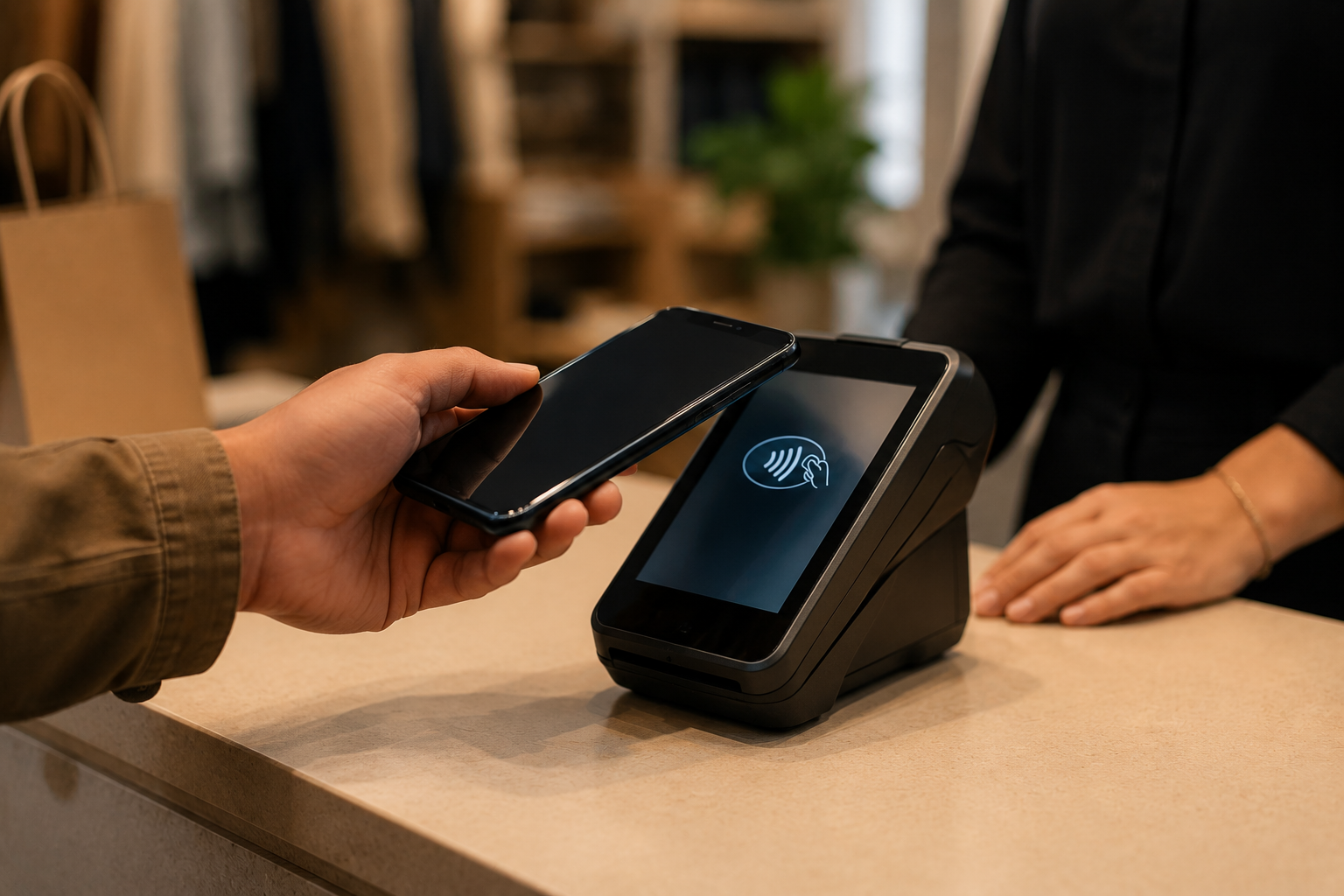
Let’s Define How Google Pay Works at the Checkout Counter
Google Pay is a digital wallet app available on Android phones, tablets, and wearables (like Wear OS smartwatches). When a customer pays with Google Pay in your store, they are not using a new payment network. They are presenting a secure, tokenized version of a Visa, Mastercard, Amex, or Discover card that is stored in their Google Wallet. The payment flows through the same card network as a physical tap or chip card transaction.
The technology behind it is Near Field Communication (NFC). NFC is the same short-range wireless technology that powers tap-to-pay on physical contactless cards. Your terminal detects the NFC signal from the customer’s phone or watch within about an inch of the reader, processes the token, and routes the transaction exactly as it would for a physical card. No special app, no QR code, no secondary device needed on your end.
From your perspective as a merchant, a Google Pay transaction appears in your batch report as a standard Visa, Mastercard, Amex, or Discover sale, depending on which card the customer has linked. Settlement, receipts, refunds, and chargebacks all work the same way as any other card-present transaction. The only visible difference is that the customer taps a phone instead of a card.
Here’s What You Need to Take Google Pay in a Physical Store
Hardware: NFC-Capable Terminal
The first requirement is a terminal that supports NFC contactless payments. Look for the contactless symbol on your current terminal: four curved lines, similar to a sideways Wi-Fi icon. If your terminal already accepts tap-to-pay physical credit cards, it can almost certainly accept Google Pay without any hardware change or additional cost.
Coastal Pay deploys and supports a range of NFC-capable retail hardware:
- Countertop NFC terminals: Fixed point-of-sale terminals for traditional retail checkout lanes with built-in contactless readers
- Wireless handheld terminals: Portable NFC-capable units for table-side, line-busting, or mobile retail environments
- Tap to Pay on iPhone and Android: For merchants who prefer a no-hardware-required solution, Coastal Pay supports Tap to Pay directly on compatible iPhone or Android devices using the Coastal Pay mobile app – no card reader required at all
Software: Active Coastal Pay Merchant Account With Contactless Enabled
You need an active Coastal Pay merchant account with card processing approved and PCI compliance set up. For new merchants, Coastal Pay’s instant boarding approves most standard-risk U.S. retail businesses in approximately 2 minutes. Once approved, your merchant ID is configured for contactless card acceptance including Google Pay, Apple Pay, and other NFC wallet payments by default.
POS Integration (Optional but Recommended)
Coastal Pay’s 2,000+ integration directory includes Lightspeed Retail, Toast, Revel, Vend, Shopify POS (via supported gateway path), and hundreds of other retail POS platforms. Connecting the Coastal Pay gateway to your existing POS software means Google Pay transactions flow directly into your inventory, sales reporting, and accounting tools without manual entry.
How Do You Turn On Google Pay With Coastal Pay if You Already Have a Terminal?
If you are already a Coastal Pay merchant, enabling Google Pay for in-store acceptance is typically a same-day process.
- Step 1: Confirm contactless is active on your merchant ID.
Log into the Coastal Pay merchant portal or call 888-266-1715. Ask the support team to confirm that contactless and NFC wallet payments are enabled on your account. For most Coastal Pay retail accounts, this is active by default. If not, support can enable it in minutes without requiring any new paperwork or underwriting.
- Step 2: Verify your terminal’s NFC capability.
Check your terminal screen and body for the contactless symbol. If your terminal already processes tap-to-pay physical cards, Google Pay works through the same NFC reader. If you are unsure, read your terminal model number to the Coastal Pay support team and they will confirm NFC support from the device specifications.
- Step 3: Apply any required terminal software updates.
Coastal Pay’s technical team can push terminal software updates remotely for most supported terminal models. If a firmware or application update is needed to enable the latest contactless standards, it takes 5 to 15 minutes and can typically be done during off-hours to avoid disrupting your retail day.
- Step 4: Run a live $1 Google Pay test transaction.
Ring up a $1 test sale. When the terminal prompts for payment, have a staff member with Google Pay configured on their Android phone hold the phone near the contactless reader. The terminal will emit a beep or display a checkmark confirming NFC acceptance. Verify the $1 charge appears in your Coastal Pay dashboard labeled as a standard card-present transaction. Refund it immediately after confirming.
- Step 5: Post signage and brief staff.
Place Google Pay and contactless payment decals at the store entrance, on the checkout counter, and on or near the terminal. Coastal Pay support can supply digital signage files. Brief your team using the staff training section below.
Get Approved in 2 Minutes – Google Pay Active Same Day
Here’s How to Get Google Pay if You’re Switching From Square, Clover, Toast, or Stripe
If you are currently processing in-store payments through Square, Clover, Toast, or Stripe and want to move to Coastal Pay for Google Pay and lower processing costs, the migration is straightforward for most retail businesses.
Step 1: Apply for a Coastal Pay Merchant Account
Complete the SignUp Link instant boarding form at coastalpay.com. Have your business EIN, owner identity details, and business bank account ready. Most standard-risk retail businesses are approved in approximately 2 minutes. You can keep your current processor active during the transition period and run Coastal Pay in parallel until you are fully migrated.
Step 2: Choose Your Hardware Path
- Keeping existing NFC terminal: If your current terminal is compatible with Coastal Pay processing, the team can reprogram it to route transactions through Coastal Pay. Eliminates hardware cost.
- New Coastal Pay terminal: If your current hardware is Square-proprietary or incompatible, Coastal Pay provides NFC-capable countertop or wireless terminals.
- Tap to Pay: For small or mobile retail setups, Coastal Pay’s Tap to Pay on iPhone or Android eliminates hardware cost entirely.
Step 3: Reconnect Your POS Software
Most Square, Clover, and Stripe merchants use a connected POS app for inventory and sales. Coastal Pay’s 2,000+ integration directory includes alternatives for every major retail POS category. Export your product catalog and customer data from your current provider before switching, then import or reconnect within your preferred retail POS platform.
Fee Comparison When Switching
| Provider | In-Person Google Pay Rate | Gateway / Monthly Fee | Hardware Flexibility | Boarding Speed |
|---|
| Coastal Pay | Flat 2.5% + $0.15 | $0 | Open – most NFC terminals supported | ~2 minutes |
| Square | 2.6% + $0.10 | $0 (free plan); software add-ons extra | Square hardware only | ~15 minutes |
| Clover | 2.3% to 2.6% + $0.10 | $14.95 to $84.95/month plan fee | Clover hardware ecosystem | Days to weeks |
| Toast | 2.49% + $0.15 (Starter) | $0 (Starter); $165+/month (advanced) | Toast hardware ecosystem | Days to weeks |
| Stripe Terminal | 2.7% + $0.05 | $0 gateway; reader purchase required | Stripe-certified readers | ~15 minutes provisional |
What Does the In-Store Google Pay Experience Look Like for Staff and Shoppers?
The Complete Checkout Flow
- Cashier scans or enters items and confirms the total on the POS
- Terminal displays the amount and the contactless symbol indicating it is ready for tap payment
- Customer opens Google Wallet on their Android phone or raises their Wear OS watch (authentication happens via the phone’s lock screen or watch unlock)
- Customer holds the phone or watch within approximately one inch of the terminal’s contactless reader
- Terminal emits a beep or shows a checkmark, confirming NFC approval
- Cashier confirms the approved amount on the terminal screen and the POS
- A receipt is offered via print or email/SMS, depending on your POS configuration
What Staff Do Not Need to Do
- Staff do not handle, touch, or take the customer’s phone
- Staff do not need to verify the device type – any NFC-enabled Android phone or watch with Google Pay configured will work
- Staff do not process Google Pay differently from a physical contactless card tap
Staff Training Checklist
- Know the contactless symbol location on the terminal and point customers toward it if they hesitate
- Tell customers: “Just hold your phone near the reader when the screen shows the tap symbol”
- If a tap fails, ask the customer to try again – NFC occasionally requires repositioning within one inch
- If a tap fails twice, proceed to chip or magnetic stripe as fallback – do not troubleshoot the customer’s phone at the counter
- Know where to find Google Pay transactions in the Coastal Pay dashboard if a customer questions a charge
Here’s How Google Pay Fees, Funding, and Chargebacks Work With Coastal Pay
Fees
Google Pay in-store transactions are priced at the same rate as any other card-present transaction through Coastal Pay: flat 2.5% + $0.15 per transaction. There is no separate wallet acceptance fee, no NFC surcharge, and no monthly Google Pay enablement charge. If you are running Coastal Pay’s dual pricing program, Google Pay card transactions are treated as card payments under that program’s rules, the same as a physical chip or swipe.
Funding and Settlement
Google Pay transactions settle on the same schedule as all other Coastal Pay card-present transactions. Standard settlement is typically 1 to 2 business days to your business bank account. Batch closing times, funding schedules, and settlement reports are identical for Google Pay and physical card transactions. Google Pay does not appear as a separate settlement category – it settles as the underlying card network (Visa, Mastercard, Amex, or Discover).
Chargebacks and Disputes
Google Pay in-store disputes follow normal card-present chargeback rules. Because Google Pay presents a tokenized card with NFC authentication (the customer’s biometric or PIN confirmation on their device), card-present liability rules typically apply, giving merchants strong protection against fraudulent disputes on in-person tap transactions. Chargeback notifications, response documentation, and dispute management all flow through the standard Coastal Pay support process at 888-266-1715 and the online Helpdesk.
How Does Coastal Pay Compare to Square, Clover, Toast, and Stripe for In-Store Google Pay?
| Feature | Coastal Pay | Square | Clover | Toast | Stripe Terminal |
|---|
| Google Pay in-store | Yes | Yes | Yes | Yes | Yes |
| Apple Pay in-store | Yes | Yes | Yes | Yes | Yes |
| In-person card rate | 2.5% + $0.15 | 2.6% + $0.10 | 2.3% to 2.6% + $0.10 | 2.49% + $0.15 | 2.7% + $0.05 |
| Monthly platform fee | $0 | $0 base (add-ons extra) | $14.95 to $84.95 | $0 to $165+ | $0 |
| Hardware flexibility | Open – most NFC terminals | Square hardware only | Clover hardware only | Toast hardware only | Stripe-certified readers |
| POS integrations | 2,000+ | Square app marketplace | Clover app marketplace | Toast-ecosystem only | Stripe partners + API |
| Omnichannel (web + in-person + invoicing) | Yes – one merchant account | Partial | Partial | Restaurant-focused | Yes |
| Dual pricing option | Yes | No | Limited | No | No |
The most meaningful advantage of Coastal Pay for retail Google Pay acceptance is not the rate comparison alone. It is the combination of open hardware flexibility (you are not locked into a proprietary ecosystem), 2,000+ POS and retail software integrations, and a single merchant account that unifies in-store Google Pay, online checkout wallets, payment links, and email invoicing under one reporting dashboard and one support relationship.
Square and Clover require their own branded hardware, which means switching processors later means replacing terminals. Coastal Pay’s approach keeps hardware choice open, so if you upgrade or change POS systems in the future, your payment processing relationship stays in place.
Next Steps to Start Taking Google Pay in Your Retail Store This Week
Your 5-Step Google Pay Activation Checklist
- Step 1: Apply at coastalpay.com – complete the SignUp Link instant boarding form in approximately 2 minutes
- Step 2: Confirm your existing terminal has the NFC contactless symbol, or select an NFC terminal or Tap to Pay option through Coastal Pay
- Step 3: Call 888-266-1715 to confirm contactless and Google Pay are active on your merchant ID and push any terminal updates
- Step 4: Run a $1 live test transaction using a staff member’s Android phone with Google Pay configured
- Step 5: Post contactless and Google Pay decals at your entrance, counter, and terminal, and brief your team using the staff training checklist above
While You Are Setting Up: Turn On More
The same Coastal Pay merchant account and terminal setup that enables Google Pay also activates:
Most retail merchants complete the full setup from application to live Google Pay acceptance within one business day.
Get Approved in 2 Minutes
Or call: 888-266-1715
Frequently Asked Questions
- How can I accept Google Pay in my physical retail store?
- To accept Google Pay in a physical store you need: an NFC-capable terminal with the contactless symbol, a merchant account with a processor supporting contactless card acceptance, and contactless payments enabled on your terminal and merchant ID. With Coastal Pay, most retail merchants can enable Google Pay in-store the same day they apply via the 2-minute instant boarding flow. Google Pay, Apple Pay, and alternative payment methods are all included through one merchant account at a flat 2.5% + $0.15 rate.
- Do I need special hardware to accept Google Pay in my store?
- You need a terminal with NFC contactless capability – look for the four curved lines contactless symbol. If your terminal already accepts tap contactless chip cards, it can almost certainly accept Google Pay without any additional hardware. If your current terminal lacks NFC, Coastal Pay can supply an NFC-capable countertop, wireless handheld, or mobile Tap to Pay solution requiring no card reader at all.
- Does Google Pay cost extra compared to regular card acceptance with Coastal Pay?
- No. Google Pay in-store transactions are priced exactly the same as the underlying card. Coastal Pay’s flat 2.5% + $0.15 per transaction rate covers Visa, Mastercard, Amex, Discover, Google Pay, Apple Pay, and other contactless wallet transactions with no separate wallet acceptance fee or NFC surcharge.